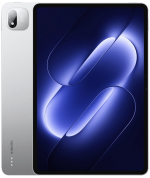




El firmware oficial para REDMI K Pad (nombre en clave turner) incluye la última actualización estable de HyperOS 4 con Android 17 y todas las versiones anteriores, en formato Fastboot ROM, Recovery ROM y OTA.
Modelos del tablet: 25079RPDCC (China). Todos los firmwares stock se descargan directamente desde los servidores de Xiaomi. Publicamos solo enlaces directos a actualizaciones originales.
Últimas actualizaciones de firmware:
- 48 ChinaHyperOS 4.0.3.0.XAOCNXM
- Lanzamiento›HyperOS 2 Android 15
- Oct 2025››HyperOS 3 Android 16
- Nov 2026›››HyperOS 4 Android 17
China HyperOS 4.0.3.0.XAOCNXM
Última actualización china del firmware para REDMI K Pad:
Recovery ROM
- Versión
- 4.0.3.0.XAOCNXM
- SO
- HyperOS 4
- Android
- Android 17
- Lanzamiento
- 11/11/2026
- Tamaño
- 8,16 GB
- Enlace oficial
- Descargar (.zip)
- Cambios
- Expandir lista
Basic experience
- Reduced system load and memory use for lasting smooth performance
- New: Precision workload scheduling helps optimize system-wide performance
- Optimization: System workload scheduling handles tasks more efficiently, while redundant instructions have been removed to improve performance and reduce power consumption
- Optimization: CPU processing and GPU rendering workloads consume less power
- Optimization: Graphics rendering reduces UI power consumption and stuttering
- Optimization: Game frequency scaling delivers more stable frame rates in demanding scenarios such as team battles
- New: Memory preloading helps apps respond faster
- Optimization: Memory reservation and allocation reduce resource use and memory usage after startup
- Optimization: Background resource scheduling loads resources only when needed and staggers background tasks to reduce memory use and improve performance
- Optimization: Memory preloading and storage prefetching reduce occasional stuttering and frame drops, speed up cold starts, and improve app responsiveness
- New: Xiaomi HyperOS app runtime environment helps system apps run more smoothly and use resources more efficiently
- Optimization: Home screen and Gallery interactions provide smoother visuals and more responsive controls
- Optimization: Gallery and Weather use fewer CPU and memory resources in the background
Xiaomi Hyper XiaoAi
- Upgraded Xiaomi Hyper XiaoAi now understands you better and makes everyday tasks easier
- New interactions:
- New: Xiaomi Hyper XiaoAi supports Xiaomi HyperIsland, letting you follow the progress of long-running AI tasks in real time. Notifications automatically expand when tasks are complete.
- New: Xiaomi Hyper XiaoAi action bubble. Swipe in from the side and pause to bring it up, then point to on-screen content to ask questions or take action. Drag it to a location to start navigation, or to an event to add it to your calendar.
- Optimization: The default Xiaomi Hyper XiaoAi voice sounds more natural
- Optimization: The Xiaomi Hyper XiaoAi start page makes it easier to view previous tasks, open your profile, or start a new conversation using the tabs at the bottom
- Pro mode:
- New: Xiaomi Hyper XiaoAi offers Pro mode for complex and scheduled tasks across apps and devices, with cloud-based tools for document processing and webpage creation
- Memories and memory preferences can now sync across phones, tablets, and computers
- Transfer files across devices, send files from your computer to your phone, and search for files on other phones, tablets, and computers
- Control devices with a single request, such as casting your screen
- Create webpages, PowerPoint presentations, Word documents, Excel spreadsheets, and PDFs with a single request, with support for cloud-based file processing such as document format conversion
- Phone notifications sync to your tablet and computer in real time, and you can reply from either device using Home screen+
- Privacy protection:
- New: Xiaomi Hyper XiaoAi includes additional privacy safeguards. AI can control apps and access data only within the permissions you grant, and asks for confirmation before sensitive actions to help prevent unintended operations.
- New: Xiaomi Hyper XiaoAi includes a memory management page where you can control what your assistant is allowed to remember. Memories are encrypted and stored locally for greater privacy and control.
Alive Design Philosophy
- Refreshed system visuals for a more polished look
- New: A soft glass material responds to surrounding colors and automatically adjusts its transparency for a more refined look
- New: Soft glass lighting effects respond dynamically to your actions for more fluid interactions
- New: The Lock screen offers more clock customization options, including text width and height, position, font, and material style
- New: Notifications can appear in stacks on the Lock screen and at the bottom of the Notification shade for easier access and smoother animations
- New: The Home screen supports widget stacks. Swipe up or down to switch between widgets, with multiple shapes and styles available for a clearer view of information.
- New: System apps use an adaptive floating layout with a refreshed design that adjusts to different screen sizes for more immersive browsing and clearer navigation
- Optimization: Opening and closing animations for landscape apps and screen rotation animations in multi-window scenarios provide smoother transitions
Comprehensive system app optimization
- Upgraded core system apps to make them more useful and easier to use
- Notes:
- New: Notes supports real-time transcription and automatic summaries for recordings
- New: AI Summary offers templates for meetings, interviews, classes, and general use, creating structured summaries that make key points easier to find
- New: You can import audio and images from your device and automatically
Fastboot ROM (flash file)
- Versión
- 4.0.3.0.XAOCNXM
- SO
- HyperOS 4
- Android
- Android 17
- Lanzamiento
- 06/11/2026
- Tamaño
- 9,41 GB
- Enlace oficial
- Descargar (.tgz)
- Cambios
- Expandir lista
Basic experience
- Reduced system load and memory use for lasting smooth performance
- New: Precision workload scheduling helps optimize system-wide performance
- Optimization: System workload scheduling handles tasks more efficiently, while redundant instructions have been removed to improve performance and reduce power consumption
- Optimization: CPU processing and GPU rendering workloads consume less power
- Optimization: Graphics rendering reduces UI power consumption and stuttering
- Optimization: Game frequency scaling delivers more stable frame rates in demanding scenarios such as team battles
- New: Memory preloading helps apps respond faster
- Optimization: Memory reservation and allocation reduce resource use and memory usage after startup
- Optimization: Background resource scheduling loads resources only when needed and staggers background tasks to reduce memory use and improve performance
- Optimization: Memory preloading and storage prefetching reduce occasional stuttering and frame drops, speed up cold starts, and improve app responsiveness
- New: Xiaomi HyperOS app runtime environment helps system apps run more smoothly and use resources more efficiently
- Optimization: Home screen and Gallery interactions provide smoother visuals and more responsive controls
- Optimization: Gallery and Weather use fewer CPU and memory resources in the background
Xiaomi Hyper XiaoAi
- Upgraded Xiaomi Hyper XiaoAi now understands you better and makes everyday tasks easier
- New interactions:
- New: Xiaomi Hyper XiaoAi supports Xiaomi HyperIsland, letting you follow the progress of long-running AI tasks in real time. Notifications automatically expand when tasks are complete.
- New: Xiaomi Hyper XiaoAi action bubble. Swipe in from the side and pause to bring it up, then point to on-screen content to ask questions or take action. Drag it to a location to start navigation, or to an event to add it to your calendar.
- Optimization: The default Xiaomi Hyper XiaoAi voice sounds more natural
- Optimization: The Xiaomi Hyper XiaoAi start page makes it easier to view previous tasks, open your profile, or start a new conversation using the tabs at the bottom
- Pro mode:
- New: Xiaomi Hyper XiaoAi offers Pro mode for complex and scheduled tasks across apps and devices, with cloud-based tools for document processing and webpage creation
- Memories and memory preferences can now sync across phones, tablets, and computers
- Transfer files across devices, send files from your computer to your phone, and search for files on other phones, tablets, and computers
- Control devices with a single request, such as casting your screen
- Create webpages, PowerPoint presentations, Word documents, Excel spreadsheets, and PDFs with a single request, with support for cloud-based file processing such as document format conversion
- Phone notifications sync to your tablet and computer in real time, and you can reply from either device using Home screen+
- Privacy protection:
- New: Xiaomi Hyper XiaoAi includes additional privacy safeguards. AI can control apps and access data only within the permissions you grant, and asks for confirmation before sensitive actions to help prevent unintended operations.
- New: Xiaomi Hyper XiaoAi includes a memory management page where you can control what your assistant is allowed to remember. Memories are encrypted and stored locally for greater privacy and control.
Alive Design Philosophy
- Refreshed system visuals for a more polished look
- New: A soft glass material responds to surrounding colors and automatically adjusts its transparency for a more refined look
- New: Soft glass lighting effects respond dynamically to your actions for more fluid interactions
- New: The Lock screen offers more clock customization options, including text width and height, position, font, and material style
- New: Notifications can appear in stacks on the Lock screen and at the bottom of the Notification shade for easier access and smoother animations
- New: The Home screen supports widget stacks. Swipe up or down to switch between widgets, with multiple shapes and styles available for a clearer view of information.
- New: System apps use an adaptive floating layout with a refreshed design that adjusts to different screen sizes for more immersive browsing and clearer navigation
- Optimization: Opening and closing animations for landscape apps and screen rotation animations in multi-window scenarios provide smoother transitions
Comprehensive system app optimization
- Upgraded core system apps to make them more useful and easier to use
- Notes:
- New: Notes supports real-time transcription and automatic summaries for recordings
- New: AI Summary offers templates for meetings, interviews, classes, and general use, creating structured summaries that make key points easier to find
- New: You can import audio and images from your device and automatically
Versiones anteriores del firmware chino de REDMI K Pad:
10/09/2026Fastboot (8,92 GB)
03/09/2026OTA (50,68 MB)
para 3.0.308.0.WAOCNXM
19/08/2026Fastboot (8,92 GB)
06/08/2026OTA (54,02 MB)
para 3.0.307.0.WAOCNXM
24/07/2026Fastboot (8,92 GB)
14/07/2026OTA (97,71 MB)
para 3.0.306.0.WAOCNXM
12/06/2026Fastboot (8,92 GB)
28/05/2026OTA (1,36 GB)
para 3.0.305.0.WAOCNXM
30/04/2026Fastboot (8,83 GB)
24/04/2026OTA (40,58 MB)
para 3.0.304.0.WAOCNXM
14/04/2026Fastboot (8,83 GB)
06/04/2026OTA (1,72 GB)
para 3.0.7.0.WAOCNXM
30/03/2026
04/02/2026Fastboot (8,60 GB)
09/01/2026
23/12/2025Fastboot (8,62 GB)
17/12/2025
10/11/2025Fastboot (8,54 GB)
05/11/2025
28/10/2025Fastboot (8,54 GB)
24/10/2025
13/10/2025Fastboot (8,46 GB)
26/09/2025
14/09/2025Fastboot (8,39 GB)
22/08/2025
02/08/2025Fastboot (8,36 GB)
29/07/2025
24/07/2025
16/07/2025Fastboot (8,38 GB)
07/07/2025
30/06/2025Fastboot (8,38 GB)
25/06/2025
26/06/2025Fastboot (8,38 GB)
21/06/2025
26/06/2025Fastboot (8,37 GB)
14/06/2025OTA (8,81 MB)
para 2.0.203.0.VAOCNXM
26/06/2025Fastboot (8,37 GB)
11/06/2025
26/06/2025
La última actualización de HyperOS 4 no siempre es la mejor. Antes de actualizar o flashear tu REDMI K Pad (turner), lee las opiniones en XDA Developers o en los foros de la comunidad Xiaomi. Si al instalar una ROM completa o una actualización OTA aparecen problemas, déjanos un comentario indicando la región del firmware y el número de versión.