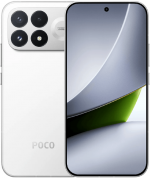
Firmware resmi REDMI Turbo 3 (codename peridot) mencakup update stabil terbaru HyperOS 3 berbasis Android 16 dan semua versi sebelumnya, dalam format Fastboot ROM, Recovery ROM, dan OTA.
Kode model HP: 24069RA21C (Tiongkok). Semua firmware stock asli dan didownload langsung dari server Xiaomi.
| Nama model | REDMI Turbo 3 |
|---|---|
| Tanggal rilis | Mei 2024 |
| Dukungan | Aktif |
| OS terbaru | HyperOS 3, Android 16 |
- Mei 2024rilisHyperOS 1 Android 14
- Des 2024update keHyperOS 2 Android 15
- Des 2025update keHyperOS 3 Android 16
- China 67 › HyperOS 3.0.303.0.WNPCNXM
China HyperOS 3.0.303.0.WNPCNXM
Versi HyperOS China terbaru untuk REDMI Turbo 3:
Recovery ROM
- Versi
- 3.0.303.0.WNPCNXM
- OS
- HyperOS 3
- Android
- Android 16
- Tanggal rilis
- 22/04/2026
- Ukuran file
- 7,07 GB
- Link unduh
- Download (.zip)
- Changelog
- Lihat selengkapnya
Comprehensive system app optimization
- Xiaomi HyperIsland:
- New: Support for Xiaomi HyperIsland in File Manager, showing real time progress for online files
- New: Support for Xiaomi HyperIsland with transit and key cards, including swiping from the Lock screen
- Xiaomi Hyper XiaoAi:
- New: Support for continuous conversations with Xiaomi Hyper XiaoAi while holding the Power button
- Camera:
- Optimization: Added a preset management page and support for bulk import/export of preset parameters for Pro mode
- Recorder:
- New: Support for generating a summary in the Recorder app, then asking Xiaomi Hyper XiaoAi questions about the recording
- Fix: An occasional recording error during long recordings
- Fix: Duplicate recording entries in some cases
- Calendar:
- Optimization: Holiday display in Calendar, with more traditional festivals and historical commemorative days
- Fix: An issue where dates displayed incorrectly in some cases
- Family Guard:
- New: The option to view and edit Family Guard settings before you turn on Child mode
- Optimization: Saving feature settings when turning off On-device guardianship
- Optimization: Screen time stats in Child mode
- Other improvements:
- New: Clarity mode brings together text and icon size, ringtone volume, scam call blocking, and other phone settings
- New: The option to tap the status bar to return to the top of the page in some apps and scenarios
- Optimization: Gesture recognition UI for better accuracy
- Optimization: Mi Mover now supports transferring more data, including some settings and user data from system apps
- Optimization: Gallery search animations for smoother transitions
- Fix: Cloud drive file thumbnails in File Manager displayed incorrectly in some cases
- Fix: An issue where macOS compressed files didn`t display properly in File Manager in some cases
- Fix: An issue where WeChat couldn`t access screenshots in some cases
- Fix: Stuttering when loading multilingual screenshot thumbnails in some cases
- Fix: An input field display issue when renaming a custom card in Smart cards in Dark mode
- Fix: Overlapping buttons in Smart cards in some cases
- Optimization: The timeliness and accuracy of weather location updates when your location changes
- New: One-tap upload in Gallery to submit your work to the Xiaomi Imagery Global Awards Curated with Leica
- To use this feature, make sure Security is version 12.3.1-260225.0.1 or later, and Mi Store is version 5.49.0 or later
Interconnectivity
- New: Tap the NFC area on your Xiaomi phone or iPhone to quickly share recordings and notes
- New: Xiaomi phones now support AirPods, including fast pair pop-ups, battery status, Spatial Audio, noise cancellation switching, and Find My
- New: After SMS verification codes received on iPhone are synced to your Xiaomi phone, they can be detected and copied with one tap
- New: After Xiaomi phone calls are synced to your iPhone, you can answer them on your iPhone
- On your iPhone, turn on `Sync notifications` for calls in Xiaomi Interconnectivity, and make sure both your Xiaomi phone and iPhone are connected to the internet
- Optimization: When you open Xiaomi phone apps in while using Screen Mirroring on iPhone, you can use the input method set on your Xiaomi phone at the same time
- New: On Mac, Xiaomi Interconnectivity now lets you view Xiaomi Cloud Notes and Gallery
Privacy and security
- New: With the Passwords app, you can auto-save, autofill, and sync end-to-end encrypted passwords across devices
- New: More system apps now support Private access, with ongoing compatibility improvements for additional apps
- Optimization: Updated `Fingerprints, face data, and screen lock` page layout for easier, faster setup
Fastboot ROM (flash file)
- Versi
- 3.0.303.0.WNPCNXM
- OS
- HyperOS 3
- Android
- Android 16
- Tanggal rilis
- 15/04/2026
- Ukuran file flash
- 8,81 GB
- Link unduh
- Download (.tgz)
- Changelog
- Lihat selengkapnya
Comprehensive system app optimization
- Xiaomi HyperIsland:
- New: Support for Xiaomi HyperIsland in File Manager, showing real time progress for online files
- New: Support for Xiaomi HyperIsland with transit and key cards, including swiping from the Lock screen
- Xiaomi Hyper XiaoAi:
- New: Support for continuous conversations with Xiaomi Hyper XiaoAi while holding the Power button
- Camera:
- Optimization: Added a preset management page and support for bulk import/export of preset parameters for Pro mode
- Recorder:
- New: Support for generating a summary in the Recorder app, then asking Xiaomi Hyper XiaoAi questions about the recording
- Fix: An occasional recording error during long recordings
- Fix: Duplicate recording entries in some cases
- Calendar:
- Optimization: Holiday display in Calendar, with more traditional festivals and historical commemorative days
- Fix: An issue where dates displayed incorrectly in some cases
- Family Guard:
- New: The option to view and edit Family Guard settings before you turn on Child mode
- Optimization: Saving feature settings when turning off On-device guardianship
- Optimization: Screen time stats in Child mode
- Other improvements:
- New: Clarity mode brings together text and icon size, ringtone volume, scam call blocking, and other phone settings
- New: The option to tap the status bar to return to the top of the page in some apps and scenarios
- Optimization: Gesture recognition UI for better accuracy
- Optimization: Mi Mover now supports transferring more data, including some settings and user data from system apps
- Optimization: Gallery search animations for smoother transitions
- Fix: Cloud drive file thumbnails in File Manager displayed incorrectly in some cases
- Fix: An issue where macOS compressed files didn`t display properly in File Manager in some cases
- Fix: An issue where WeChat couldn`t access screenshots in some cases
- Fix: Stuttering when loading multilingual screenshot thumbnails in some cases
- Fix: An input field display issue when renaming a custom card in Smart cards in Dark mode
- Fix: Overlapping buttons in Smart cards in some cases
- Optimization: The timeliness and accuracy of weather location updates when your location changes
- New: One-tap upload in Gallery to submit your work to the Xiaomi Imagery Global Awards Curated with Leica
- *To use this feature, make sure Security is version 12.3.1-260225.0.1 or later, and Mi Store is version 5.49.0 or later
Interconnectivity
- New: Tap the NFC area on your Xiaomi phone or iPhone to quickly share recordings and notes
- New: Xiaomi phones now support AirPods, including fast pair pop-ups, battery status, Spatial Audio, noise cancellation switching, and Find My
- New: After SMS verification codes received on iPhone are synced to your Xiaomi phone, they can be detected and copied with one tap
- New: After Xiaomi phone calls are synced to your iPhone, you can answer them on your iPhone
- *On your iPhone, turn on `Sync notifications` for calls in Xiaomi Interconnectivity, and make sure both your Xiaomi phone and iPhone are connected to the internet
- Optimization: When you open Xiaomi phone apps in while using Screen Mirroring on iPhone, you can use the input method set on your Xiaomi phone at the same time
- New: On Mac, Xiaomi Interconnectivity now lets you view Xiaomi Cloud Notes and Gallery
Privacy and security
- New: With the Passwords app, you can auto-save, autofill, and sync end-to-end encrypted passwords across devices
- New: More system apps now support Private access, with ongoing compatibility improvements for additional apps
- Optimization: Updated `Fingerprints, face data, and screen lock` page layout for easier, faster setup
OTA Update
- Versi
- 3.0.303.0.WNPCNXM
- Ukuran file
- 1,70 GB
- Dari versi
- 3.0.9.0.WNPCNXM
- Link unduh
- Download (.zip)
Unduh update firmware China sebelumnya untuk REDMI Turbo 3:
26/03/2026Fastboot (8,76 GB)
17/03/2026OTA (118,46 MB)
untuk 3.0.7.0.WNPCNXM
31/01/2026Fastboot (8,76 GB)
25/01/2026OTA (141,50 MB)
untuk 3.0.6.0.WNPCNXM
17/01/2026Fastboot (8,74 GB)
08/01/2026
05/01/2026Fastboot (8,74 GB)
29/12/2025
28/12/2025
15/11/2025Fastboot (8,63 GB)
31/10/2025
15/10/2025Fastboot (8,63 GB)
28/09/2025
18/09/2025Fastboot (8,63 GB)
09/09/2025
22/08/2025Fastboot (8,63 GB)
11/08/2025
28/07/2025Fastboot (8,64 GB)
08/07/2025
30/06/2025Fastboot (8,64 GB)
10/06/2025
18/05/2025Fastboot (8,63 GB)
08/05/2025OTA (165,00 MB)
untuk 2.0.106.0.VNPCNXM
29/04/2025Fastboot (8,69 GB)
16/04/2025OTA (1,49 GB)
untuk 2.0.104.0.VNPCNXM
02/04/2025Fastboot (8,75 GB)
19/03/2025OTA (145,10 MB)
untuk 2.0.102.0.VNPCNXM
27/02/2025Fastboot (8,74 GB)
12/02/2025OTA (131,89 MB)
untuk 2.0.101.0.VNPCNXM
06/02/2025Fastboot (8,74 GB)
09/01/2025OTA (864,67 MB)
untuk 2.0.6.0.VNPCNXM
16/01/2025Fastboot (8,75 GB)
07/01/2025
22/12/2024
26/11/2024Fastboot (8,35 GB)
15/11/2024OTA (134,85 MB)
untuk 1.0.17.0.UNPCNXM
20/11/2024Fastboot (8,34 GB)
24/10/2024
14/09/2024Fastboot (8,31 GB)
05/09/2024OTA (212,25 MB)
untuk 1.0.15.0.UNPCNXM
22/08/2024Fastboot (8,22 GB)
08/08/2024OTA (213,99 MB)
untuk 1.0.14.0.UNPCNXM
18/07/2024Fastboot (8,24 GB)
08/07/2024OTA (748,68 MB)
untuk 1.0.13.0.UNPCNXM
23/05/2024Fastboot (8,13 GB)
10/05/2024
23/05/2024
23/05/2024
23/05/2024
23/05/2024
23/05/2024
23/05/2024
23/05/2024
Update HyperOS terbaru belum tentu yang terbaik. Sebelum melakukan update REDMI Turbo 3 (peridot), baca review di XDA Developers atau Mi Community. Jika instalasi Flash File, full ROM, atau update OTA menyebabkan masalah, beri tahu kami di kolom komentar dan cantumkan nomor versinya.