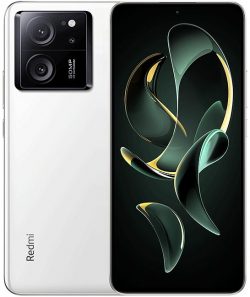
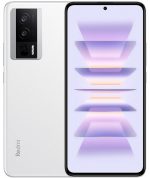
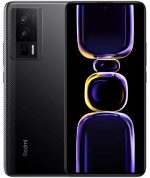
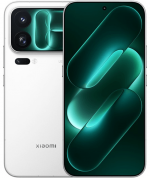
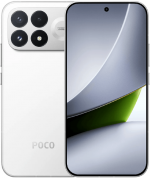
El firmware oficial para REDMI K60 Ultra (nombre en clave corot) contiene las últimas versiones estables de HyperOS 3 con Android 16 y versiones anteriores, en formato Fastboot ROM, Recovery ROM y OTA.
Modelos del teléfono: 23078RKD5C (China). Todos los firmwares son originales (stock) de Xiaomi y se descargan directamente desde miui.com.
| Modelo | REDMI K60 Ultra |
|---|---|
| Lanzamiento | agosto 2023 |
| Soporte oficial | Activo |
| SO actual | HyperOS 3, Android 16 |
- ago 2023lanzamientoMIUI 14 Android 13
- dic 2023actualizado aHyperOS 1 Android 14
- dic 2024actualizado aHyperOS 2 Android 15
- dic 2025actualizado aHyperOS 3 Android 16
- China 98 › HyperOS 3.0.302.0.WMLCNXM
China HyperOS 3.0.302.0.WMLCNXM
Última actualización china del firmware para REDMI K60 Ultra:
Recovery ROM
- Versión
- 3.0.302.0.WMLCNXM
- SO
- HyperOS 3
- Android
- Android 16
- Lanzamiento
- 22/04/2026
- Tamaño
- 7,16 GB
- Enlace oficial
- Descargar (.zip)
- Cambios
- Expandir lista
Comprehensive system app optimization
- Xiaomi HyperIsland:
- New: Support for Xiaomi HyperIsland in File Manager, showing real time progress for online files
- New: Support for Xiaomi HyperIsland with transit and key cards, including swiping from the Lock screen
- Xiaomi Hyper XiaoAi:
- New: Support for continuous conversations with Xiaomi Hyper XiaoAi while holding the Power button
- Camera:
- New: A one-tap download for the `Mi-LOG to Rec.709` color conversion LUT file from the Pro video intro page in Camera settings
- Optimization: Added a preset management page and support for bulk import/export of preset parameters for Pro mode
- Recorder:
- New: Support for generating a summary in the Recorder app, then asking Xiaomi Hyper XiaoAi questions about the recording
- Fix: An occasional recording error during long recordings
- Fix: Duplicate recording entries in some cases
- Calendar:
- Optimization: Holiday display in Calendar, with more traditional festivals and historical commemorative days
- Fix: An issue where dates displayed incorrectly in some cases
- Family Guard:
- New: The option to view and edit Family Guard settings before you turn on Child mode
- Optimization: Saving feature settings when turning off On-device guardianship
- Optimization: Screen time stats in Child mode
- Other improvements:
- New: Clarity mode brings together text and icon size, ringtone volume, scam call blocking, and other phone settings
- New: The option to tap the status bar to return to the top of the page in some apps and scenarios
- Optimization: Mi Mover now supports transferring more data, including some settings and user data from system apps
- Optimization: Gallery search animations for smoother transitions
- Fix: Cloud drive file thumbnails in File Manager displayed incorrectly in some cases
- Fix: An issue where macOS compressed files didn`t display properly in File Manager in some cases
- Fix: An issue where WeChat couldn`t access screenshots in some cases
- Fix: Stuttering when loading multilingual screenshot thumbnails in some cases
- Fix: An input field display issue when renaming a custom card in Smart cards in Dark mode
- Fix: Overlapping buttons in Smart cards in some cases
- Optimization: The timeliness and accuracy of weather location updates when your location changes
- New: One-tap upload in Gallery to submit your work to the Xiaomi Imagery Global Awards Curated with Leica
- *To use this feature, make sure Security is version 12.3.1-260225.0.1 or later, and Mi Store is version 5.49.0 or later
Interconnectivity
- New: Tap the NFC area on your Xiaomi phone or iPhone to quickly share recordings and notes
- New: Xiaomi phones now support AirPods, including fast pair pop-ups, battery status, Spatial Audio, noise cancellation switching, and Find My
- New: After SMS verification codes received on iPhone are synced to your Xiaomi phone, they can be detected and copied with one tap
- New: After Xiaomi phone calls are synced to your iPhone, you can answer them on your iPhone
- *On your iPhone, turn on `Sync notifications` for calls in Xiaomi Interconnectivity, and make sure both your Xiaomi phone and iPhone are connected to the internet
- Optimization: When you open Xiaomi phone apps in while using Screen Mirroring on iPhone, you can use the input method set on your Xiaomi phone at the same time
- New: On Mac, Xiaomi Interconnectivity now lets you view Xiaomi Cloud Notes and Gallery
Privacy and security
- New: With the Passwords app, you can auto-save, autofill, and sync end-to-end encrypted passwords across devices
- New: More system apps now support Private access, with ongoing compatibility improvements for additional apps
- Optimization: Updated `Fingerprints, face data, and screen lock` page layout for easier, faster setup
Fastboot ROM (flash file)
- Versión
- 3.0.302.0.WMLCNXM
- SO
- HyperOS 3
- Android
- Android 16
- Lanzamiento
- 16/04/2026
- Tamaño
- 9,00 GB
- Enlace oficial
- Descargar (.tgz)
- Cambios
- Expandir lista
Comprehensive system app optimization
- Xiaomi HyperIsland:
- New: Support for Xiaomi HyperIsland in File Manager, showing real time progress for online files
- New: Support for Xiaomi HyperIsland with transit and key cards, including swiping from the Lock screen
- Xiaomi Hyper XiaoAi:
- New: Support for continuous conversations with Xiaomi Hyper XiaoAi while holding the Power button
- Camera:
- New: A one-tap download for the `Mi-LOG to Rec.709` color conversion LUT file from the Pro video intro page in Camera settings
- Optimization: Added a preset management page and support for bulk import/export of preset parameters for Pro mode
- Recorder:
- New: Support for generating a summary in the Recorder app, then asking Xiaomi Hyper XiaoAi questions about the recording
- Fix: An occasional recording error during long recordings
- Fix: Duplicate recording entries in some cases
- Calendar:
- Optimization: Holiday display in Calendar, with more traditional festivals and historical commemorative days
- Fix: An issue where dates displayed incorrectly in some cases
- Family Guard:
- New: The option to view and edit Family Guard settings before you turn on Child mode
- Optimization: Saving feature settings when turning off On-device guardianship
- Optimization: Screen time stats in Child mode
- Other improvements:
- New: Clarity mode brings together text and icon size, ringtone volume, scam call blocking, and other phone settings
- New: The option to tap the status bar to return to the top of the page in some apps and scenarios
- Optimization: Mi Mover now supports transferring more data, including some settings and user data from system apps
- Optimization: Gallery search animations for smoother transitions
- Fix: Cloud drive file thumbnails in File Manager displayed incorrectly in some cases
- Fix: An issue where macOS compressed files didn`t display properly in File Manager in some cases
- Fix: An issue where WeChat couldn`t access screenshots in some cases
- Fix: Stuttering when loading multilingual screenshot thumbnails in some cases
- Fix: An input field display issue when renaming a custom card in Smart cards in Dark mode
- Fix: Overlapping buttons in Smart cards in some cases
- Optimization: The timeliness and accuracy of weather location updates when your location changes
- New: One-tap upload in Gallery to submit your work to the Xiaomi Imagery Global Awards Curated with Leica
- *To use this feature, make sure Security is version 12.3.1-260225.0.1 or later, and Mi Store is version 5.49.0 or later
Interconnectivity
- New: Tap the NFC area on your Xiaomi phone or iPhone to quickly share recordings and notes
- New: Xiaomi phones now support AirPods, including fast pair pop-ups, battery status, Spatial Audio, noise cancellation switching, and Find My
- New: After SMS verification codes received on iPhone are synced to your Xiaomi phone, they can be detected and copied with one tap
- New: After Xiaomi phone calls are synced to your iPhone, you can answer them on your iPhone
- *On your iPhone, turn on `Sync notifications` for calls in Xiaomi Interconnectivity, and make sure both your Xiaomi phone and iPhone are connected to the internet
- Optimization: When you open Xiaomi phone apps in while using Screen Mirroring on iPhone, you can use the input method set on your Xiaomi phone at the same time
- New: On Mac, Xiaomi Interconnectivity now lets you view Xiaomi Cloud Notes and Gallery
Privacy and security
- New: With the Passwords app, you can auto-save, autofill, and sync end-to-end encrypted passwords across devices
- New: More system apps now support Private access, with ongoing compatibility improvements for additional apps
- Optimization: Updated `Fingerprints, face data, and screen lock` page layout for easier, faster setup
Actualización OTA
- Versión
- 3.0.302.0.WMLCNXM
- Tamaño
- 1,70 GB
- Para la versión
- 3.0.4.0.WMLCNXM
- Enlace oficial
- Descargar (.zip)
Versiones anteriores del firmware chino de REDMI K60 Ultra:
09/02/2026Fastboot (8,94 GB)
29/01/2026OTA (553,57 MB)
para 3.0.3.0.WMLCNXM
28/12/2025Fastboot (8,96 GB)
11/12/2025
20/11/2025Fastboot (8,61 GB)
07/11/2025
29/10/2025Fastboot (8,61 GB)
24/10/2025
20/10/2025
19/09/2025Fastboot (8,61 GB)
14/09/2025
19/08/2025
26/07/2025Fastboot (8,66 GB)
11/07/2025
26/06/2025Fastboot (8,66 GB)
11/06/2025
31/05/2025Fastboot (8,70 GB)
20/05/2025
23/04/2025Fastboot (8,70 GB)
16/04/2025OTA (42,75 MB)
para 2.0.106.0.VMLCNXM
10/04/2025Fastboot (8,70 GB)
02/04/2025OTA (890,00 MB)
para 2.0.103.0.VMLCNXM
21/02/2025Fastboot (8,66 GB)
12/02/2025OTA (14,84 MB)
para 2.0.102.0.VMLCNXM
08/02/2025Fastboot (8,66 GB)
16/01/2025OTA (1,07 GB)
para 2.0.4.0.VMLCNXM
03/01/2025Fastboot (8,68 GB)
20/12/2024
22/12/2024
25/12/2024Fastboot (8,24 GB)
27/11/2024
16/11/2024Fastboot (8,24 GB)
05/11/2024OTA (39,20 MB)
para 1.0.23.0.UMLCNXM
16/10/2024Fastboot (8,24 GB)
10/09/2024OTA (131,27 MB)
para 1.0.22.0.UMLCNXM
03/09/2024Fastboot (8,24 GB)
06/08/2024
12/07/2024Fastboot (8,24 GB)
11/07/2024OTA (17,78 MB)
para 1.0.17.0.UMLCNXM
08/07/2024OTA (100,09 MB)
para 1.0.15.0.UMLCNXM
01/07/2024Fastboot (8,24 GB)
24/06/2024OTA (334,70 MB)
para 1.0.13.0.UMLCNXM
23/05/2024Fastboot (8,26 GB)
10/05/2024OTA (164,23 MB)
para 1.0.12.0.UMLCNXM
22/04/2024Fastboot (8,26 GB)
03/04/2024OTA (154,07 MB)
para 1.0.11.0.UMLCNXM
21/03/2024Fastboot (8,27 GB)
11/03/2024OTA (698,40 MB)
para 1.0.9.0.UMLCNXM
28/03/2024
07/03/2024
20/02/2024Fastboot (8,06 GB)
05/01/2024OTA (1,05 GB)
para 1.0.7.0.UMLCNXM
23/01/2024
29/12/2023Fastboot (8,07 GB)
22/12/2023OTA (24,78 MB)
para 1.0.5.0.UMLCNXM
03/12/2023OTA (12,58 MB)
para 1.0.4.0.UMLCNXM
03/12/2023
10/11/2023Fastboot (7,93 GB)
31/10/2023OTA (158,88 MB)
para 14.0.12.0.TMLCNXM
06/10/2023Fastboot (8,00 GB)
18/09/2023OTA (250,22 MB)
para 14.0.11.0.TMLCNXM
16/09/2023Fastboot (7,97 GB)
06/09/2023OTA (55,43 MB)
para 14.0.10.0.TMLCNXM
08/09/2023Fastboot (7,88 GB)
29/08/2023OTA (252,23 MB)
para 14.0.9.0.TMLCNXM
28/08/2023Fastboot (7,82 GB)
21/08/2023OTA (127,03 MB)
para 14.0.8.0.TMLCNXM
15/08/2023Fastboot (7,87 GB)
10/08/2023OTA (507,79 MB)
para 14.0.6.0.TMLCNXM
15/08/2023
15/08/2023
22/08/2023
22/08/2023
La última actualización de HyperOS o MIUI no siempre es la mejor opción para tu dispositivo. Antes de actualizar o flashear tu REDMI K60 Ultra (corot), te recomendamos leer las opiniones de otros usuarios en XDA Developers o en foros de la comunidad Xiaomi. Si al instalar un Flash File, una ROM completa o una actualización OTA aparecen problemas, déjanos un comentario indicando el número de versión y la región del firmware.