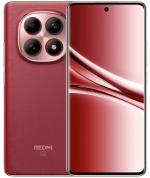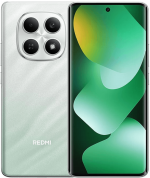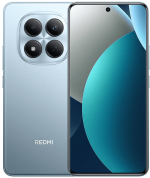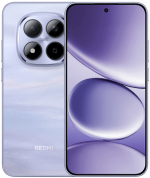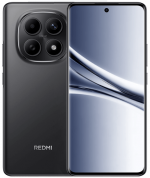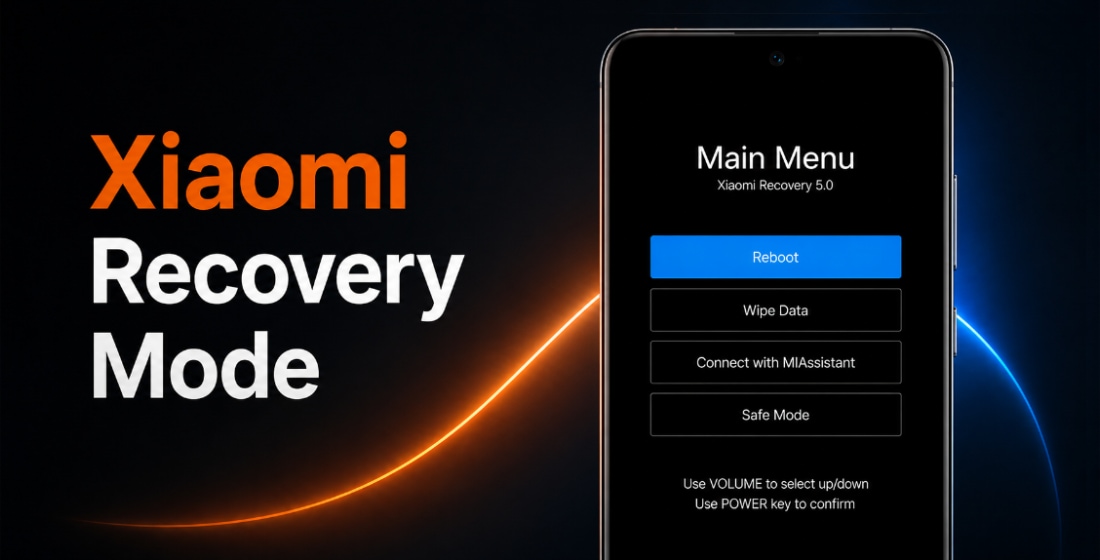





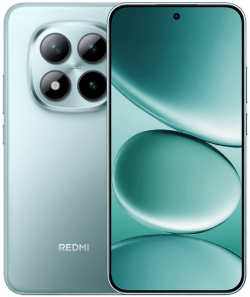
El firmware oficial para REDMI Note 15 Pro Plus 5G (nombre en clave flourite) incluye versiones estables de HyperOS. Se puede descargar en formato Fastboot ROM, Recovery ROM y actualizaciones OTA.
Modelos de dispositivo: 2510ERA8BG (Global), 2510ERA8BI (India), 2510ERA8BC (China), 25104RADAC (Satellite China). Todos los archivos son official original stock Xiaomi ROMs, disponibles gratis en miui.com. Solo ofrecemos enlaces directos a archivos de flasheo oficiales y actualizaciones del sistema.
| Nombre del modelo | REDMI Note 15 Pro Plus 5G |
|---|---|
| Lanzamiento | agosto 2025 |
| Soporte | Activo hasta enero 2032 |
| SO actual | HyperOS 3, Android 16 |
- agosto 2025lanzamientoHyperOS 2 Android 15
- noviembre 2025cambiado aHyperOS 3Android 16
- Global 2 › HyperOS 2.0.206.0.VPRMIXM
- Europa 4 › HyperOS 2.0.205.0.VPREUXM
- China 12 › HyperOS 3.0.2.0.WPRCNXM
- Rusia 2 › HyperOS 2.0.204.0.VPRRUXM
- Taiwán 4 › HyperOS 2.0.204.0.VPRTWXM
- Turquía 2 › HyperOS 2.0.203.0.VPRTRXM
Global HyperOS 2.0.206.0.VPRMIXM
La última versión global de HyperOS para REDMI Note 15 Pro Plus 5G de Xiaomi:
Recovery ROM
- Versión
- 2.0.206.0.VPRMIXM
- SO
- HyperOS 2
- Android
- Android 15
- Lanzamiento
- 08/01/2026
- Tamaño
- 6,47 GB
- Enlace oficial
- Descargar (.zip)
- Cambios
- Expandir lista
Basic experience
- Optimization: Tweaked the Storage refresh algorithm so it activates more often
System animations
- Optimization: Interrupt animation when entering subpages within apps
- Optimization: Interrupt animation during app transitions
- Optimization: Interrupt animation when closing apps in Landscape mode
System
- New: Home screen wallpaper now supports a blur effect
- Optimization: Immersive effect for full screen indicator in certain scenarios
- Optimization: Updated styles for some classic pages
- Optimization: Animation effects when launching apps
- Optimization: Scrolling performance on content feeds in some third party apps
- Optimization: In certain screens, larger text sizes are now supported
- Optimization: Stability of animations when opening and closing apps
- Optimization: System stability
- Fix: Gestures didn`t work properly in certain scenarios
- Fix: Issues with animations when opening or closing apps
- Fix: Wallpapers disappeared in rare cases when opening or closing apps
- Fix: Occasional display glitches when opening or closing apps
- Fix: Errors occurred in some cases
- Updated the security patch to December 2025. Increased system security.
Home screen
- New: Home screen icon text now displays shadows over light wallpaper areas for better readability
Lock screen
- New: Lock screen wallpapers now support lens effect
- New: Customizable Lock screen shortcuts
Camera
- All-new design
- Brand-new visual language: A more professional visual style provides a deeper sense of immersion while shooting.
- · Structure optimization: We streamlined the feature menus and optimized the settings page.
- Pro mode upgrade: Adjusted the interface layout and combined parameter options to reduce preview obstruction and help you focus on your creative process.
- · Director mode optimization: Professional video recording and multicam setup support simultaneous shooting from different angles.
- Enhanced watermark features:
- · Film frame watermark now supports black or white backgrounds and appears during dynamic shot playback.
- · The standard watermark supports custom positioning.
- Expanded personalization settings: Added support for multiple camera interface color schemes.
Settings
- Optimization: Added a shortcut to system navigation settings in Home screen settings
Status bar, Notification shade
- New: Some status bar icons now support custom display
- Optimization: Custom notifications now support unfolding
- Optimization: HD signal icon no longer permanently shown in the status bar
Accessibility
- Fix: Touch gestures stopped working in TalkBack mode
- Fix: Volume buttons didn`t work in TalkBack mode
- Fix: Issues that prevented Recorder from capturing TalkBack audio
- Fix: Issues with announcements for unselected items in Calendar and other apps
- Fix: Some buttons weren`t announced in several apps, including Settings, Control center, Messaging, Contacts, Weather, Notes, and Browser
Fastboot ROM
- Versión
- 2.0.206.0.VPRMIXM
- SO
- HyperOS 2
- Android
- Android 15
- Lanzamiento
- 24/12/2025
- Tamaño flash
- 10,08 GB
- Enlace oficial
- Descargar (.tgz)
- Cambios
- Expandir lista
Basic experience
- Optimization: Tweaked the Storage refresh algorithm so it activates more often
System animations
- Optimization: Interrupt animation when entering subpages within apps
- Optimization: Interrupt animation during app transitions
- Optimization: Interrupt animation when closing apps in Landscape mode
System
- New: Home screen wallpaper now supports a blur effect
- Optimization: Immersive effect for full screen indicator in certain scenarios
- Optimization: Updated styles for some classic pages
- Optimization: Animation effects when launching apps
- Optimization: Scrolling performance on content feeds in some third party apps
- Optimization: In certain screens, larger text sizes are now supported
- Optimization: Stability of animations when opening and closing apps
- Optimization: System stability
- Fix: Gestures didn`t work properly in certain scenarios
- Fix: Issues with animations when opening or closing apps
- Fix: Wallpapers disappeared in rare cases when opening or closing apps
- Fix: Occasional display glitches when opening or closing apps
- Fix: Errors occurred in some cases
- Updated the security patch to December 2025. Increased system security.
Home screen
- New: Home screen icon text now displays shadows over light wallpaper areas for better readability
Lock screen
- New: Lock screen wallpapers now support lens effect
- New: Customizable Lock screen shortcuts
Camera
- All-new design
- Brand-new visual language: A more professional visual style provides a deeper sense of immersion while shooting.
- · Structure optimization: We streamlined the feature menus and optimized the settings page.
- Pro mode upgrade: Adjusted the interface layout and combined parameter options to reduce preview obstruction and help you focus on your creative process.
- · Director mode optimization: Professional video recording and multicam setup support simultaneous shooting from different angles.
- Enhanced watermark features:
- · Film frame watermark now supports black or white backgrounds and appears during dynamic shot playback.
- · The standard watermark supports custom positioning.
- Expanded personalization settings: Added support for multiple camera interface color schemes.
Settings
- Optimization: Added a shortcut to system navigation settings in Home screen settings
Status bar, Notification shade
- New: Some status bar icons now support custom display
- Optimization: Custom notifications now support unfolding
- Optimization: HD signal icon no longer permanently shown in the status bar
Accessibility
- Fix: Touch gestures stopped working in TalkBack mode
- Fix: Volume buttons didn`t work in TalkBack mode
- Fix: Issues that prevented Recorder from capturing TalkBack audio
- Fix: Issues with announcements for unselected items in Calendar and other apps
- Fix: Some buttons weren`t announced in several apps, including Settings, Control center, Messaging, Contacts, Weather, Notes, and Browser
Europa HyperOS 2.0.205.0.VPREUXM
La última versión europea de HyperOS para REDMI Note 15 Pro Plus 5G de Xiaomi:
Recovery ROM
- Versión
- 2.0.205.0.VPREUXM
- SO
- HyperOS 2
- Android
- Android 15
- Lanzamiento
- 08/01/2026
- Tamaño
- 6,53 GB
- Enlace oficial
- Descargar (.zip)
- Cambios
- Expandir lista
System animations
- Optimization: Interrupt animation when entering subpages within apps
- Optimization: Interrupt animation during app transitions
- Optimization: Interrupt animation when closing apps in Landscape mode
System
- New: Home screen wallpaper now supports a blur effect
- Optimization: Immersive effect for full screen indicator in certain scenarios
- Optimization: Updated styles for some classic pages
- Optimization: Animation effects when launching apps
- Optimization: Scrolling performance on content feeds in some third party apps
- Optimization: In certain screens, larger text sizes are now supported
- Optimization: Stability of animations when opening and closing apps
- Fix: Gestures didn`t work properly in certain scenarios
- Fix: Issues with animations when opening or closing apps
- Fix: Wallpapers disappeared in rare cases when opening or closing apps
- Fix: Occasional display glitches when opening or closing apps
- Updated the security patch to December 2025. Increased system security.
Home screen
- New: Home screen icon text now displays shadows over light wallpaper areas for better readability
Basic experience
- Optimization: Tweaked the Storage refresh algorithm so it activates more often
Lock screen
- New: Lock screen wallpapers now support lens effect
- New: Customizable Lock screen shortcuts
Camera
- All-new design
- Brand-new visual language: A more professional visual style provides a deeper sense of immersion while shooting.
- · Structure optimization: We streamlined the feature menus and optimized the settings page.
- Pro mode upgrade: Adjusted the interface layout and combined parameter options to reduce preview obstruction and help you focus on your creative process.
- · Director mode optimization: Professional video recording and multicam setup support simultaneous shooting from different angles.
- Enhanced watermark features:
- · Film frame watermark now supports black or white backgrounds and appears during dynamic shot playback.
- · The standard watermark supports custom positioning.
- Expanded personalization settings: Added support for multiple camera interface color schemes.
Settings
- Optimization: Added a shortcut to system navigation settings in Home screen settings
Status bar, Notification shade
- New: Some status bar icons now support custom display
- Optimization: Custom notifications now support unfolding
- Optimization: HD signal icon no longer permanently shown in the status bar
Accessibility
- Fix: Touch gestures stopped working in TalkBack mode
- Fix: Volume buttons didn`t work in TalkBack mode
- Fix: Issues that prevented Recorder from capturing TalkBack audio
- Fix: Issues with announcements for unselected items in Calendar and other apps
- Fix: Some buttons weren`t announced in several apps, including Settings, Control center, Messaging, Contacts, Weather, Notes, and Browser
Fastboot ROM
- Versión
- 2.0.205.0.VPREUXM
- SO
- HyperOS 2
- Android
- Android 15
- Lanzamiento
- 29/12/2025
- Tamaño flash
- 9,19 GB
- Enlace oficial
- Descargar (.tgz)
- Cambios
- Expandir lista
System animations
- Optimization: Interrupt animation when entering subpages within apps
- Optimization: Interrupt animation during app transitions
- Optimization: Interrupt animation when closing apps in Landscape mode
System
- New: Home screen wallpaper now supports a blur effect
- Optimization: Immersive effect for full screen indicator in certain scenarios
- Optimization: Updated styles for some classic pages
- Optimization: Animation effects when launching apps
- Optimization: Scrolling performance on content feeds in some third party apps
- Optimization: In certain screens, larger text sizes are now supported
- Optimization: Stability of animations when opening and closing apps
- Fix: Gestures didn`t work properly in certain scenarios
- Fix: Issues with animations when opening or closing apps
- Fix: Wallpapers disappeared in rare cases when opening or closing apps
- Fix: Occasional display glitches when opening or closing apps
- Updated the security patch to December 2025. Increased system security.
Home screen
- New: Home screen icon text now displays shadows over light wallpaper areas for better readability
Basic experience
- Optimization: Tweaked the Storage refresh algorithm so it activates more often
Lock screen
- New: Lock screen wallpapers now support lens effect
- New: Customizable Lock screen shortcuts
Camera
- All-new design
- Brand-new visual language: A more professional visual style provides a deeper sense of immersion while shooting.
- · Structure optimization: We streamlined the feature menus and optimized the settings page.
- Pro mode upgrade: Adjusted the interface layout and combined parameter options to reduce preview obstruction and help you focus on your creative process.
- · Director mode optimization: Professional video recording and multicam setup support simultaneous shooting from different angles.
- Enhanced watermark features:
- · Film frame watermark now supports black or white backgrounds and appears during dynamic shot playback.
- · The standard watermark supports custom positioning.
- Expanded personalization settings: Added support for multiple camera interface color schemes.
Settings
- Optimization: Added a shortcut to system navigation settings in Home screen settings
Status bar, Notification shade
- New: Some status bar icons now support custom display
- Optimization: Custom notifications now support unfolding
- Optimization: HD signal icon no longer permanently shown in the status bar
Accessibility
- Fix: Touch gestures stopped working in TalkBack mode
- Fix: Volume buttons didn`t work in TalkBack mode
- Fix: Issues that prevented Recorder from capturing TalkBack audio
- Fix: Issues with announcements for unselected items in Calendar and other apps
- Fix: Some buttons weren`t announced in several apps, including Settings, Control center, Messaging, Contacts, Weather, Notes, and Browser
Descargar anteriores actualizaciones de firmware europeas para REDMI Note 15 Pro Plus 5G:
07/01/2026Fastboot (9,03 GB)
24/11/2025
China HyperOS 3.0.2.0.WPRCNXM
La última versión china de HyperOS para REDMI Note 15 Pro Plus 5G de Xiaomi:
Recovery ROM
- Versión
- 3.0.2.0.WPRCNXM
- SO
- HyperOS 3
- Android
- Android 16
- Lanzamiento
- 04/12/2025
- Tamaño
- 7,16 GB
- Enlace oficial
- Descargar (.zip)
- Cambios
- Expandir lista
Basic experience
- Smoother and more stable
- Performance enhancements:
- Optimization: Refined compiler instructions enhance performance and responsiveness while lowering power use.
- Optimization: Improved memory allocation and recovery increases available system memory.
- Optimization: Improved integrated frequency scheduling boosts system efficiency and reduces power consumption.
- Optimization: Improved short-video playback efficiency for better battery life.
- Optimized graphics:
- A new window-rendering mechanism reduces graphics-rendering load.
- Smoother system animations:
- Optimization: Fine-tuned animations across 100+ system scenes for smoother, more natural motion.
Xiaomi HyperIsland
- Everything you need to keep an eye on. In one place.
- A new format that combines Notification spotlight and device notifications makes any important updates reach you faster.
- New UI design lets you see all the details at a glance, with smoother switching between islands.
- Now you can pull down to expand small windows and handle multiple tasks more efficiently.
- Drag ride-hailing trips and other live updates straight into chats for quicker sharing.
Revamped visuals
- Cleaner, more refined visuals throughout.
- Redesigned Home screen icons now look sharper and more detailed.
- The Home screen grid has been redesigned with more balanced margins and more comfortable spacing.
- The status bar has a new, cleaner design that`s more refined and easier to read.
- A new design system improves color comfort, unifies rounded corners across the entire system, and makes controls easier to use for a more consistent look and feel.
- A new large-clock Lock screen adds more depth and layers to the layout.
- A new all-in-one editor allows you to adjust both the Home screen and Lock screen wallpapers at the same time.
Comprehensive system app optimization
- Interaction with apps has become more intuitive and direct.
- Gallery:
- New: New Gallery widgets allow you to select your preferred collections for display.
- New: You can pin albums now to have quick access to your favorite photos anytime.
- Weather:
- Optimization: Improved content card blur effects for a smoother, more immersive scrolling experience.
- Calendar:
- New: Week view gives you a clear look at your weekly schedule.
- New: You can check your daily horoscope easily now.
- Optimization: Improved month-view visuals give you clearer highlights for holidays and important events.
- Camera:
- New: With new watermark styles, your photos can become even more fun and unique.
- Recorder:
- New: With technical term and dialect recognition, your transcriptions have become even more accurate.
- New: Structured summaries let you review recorded content more efficiently.
- Optimization: Accurate start page categories let you locate recordings faster with icons.
- Other improvements:
- New: Travel assistant now supports Railway 12306 with real-time trip reminders and ticket info for bookings made by others.
- New: Copied text in certain scenarios now opens the related app directly.
- New: Alarms can now be used with your work shift schedule.
- New: Messaging now supports marking items as read in one tap.
- Optimization: Improved Child mode with unified time tracking across devices, eye care features, and better protection tools.
Interconnectivity
- Cross-ecosystem interconnectivity offers deep compatibility with the Apple ecosystem.
- Touch to share:
- Bring a Xiaomi phone or iPhone close to the NFC area to quickly share photos, dynamic shots, videos, files, browser pages, and contacts.
- IPhone interconnectivity:
- Two-way notification sync allows WeChat, QQ, SMS, and call alerts to be synchronized between Xiaomi phones and iPhones.
- When connected to the same network, an iPhone can mirror and reply to WeChat and QQ messages from a Xiaomi phone.
- When on the same network, an iPhone can share photos or files directly to WeChat or QQ on a Xiaomi phone.
- View and use your Gallery synced to Xiaomi Cloud on an iPhone, connect to your Xiaomi phone via hotspot in one tap, and easily locate your devices.
- IPad interconnectivity:
- New: Home screen+ enables Xiaomi phones to mirror screen content to your iPad.
- View and use your Gallery synced to Xiaomi Cloud on an iPad, connect to your Xiaomi phone via hotspot in one tap, and easily locate your devices.
- Mac interconnectivity:
- You can connect to your Xiaomi phone via hotspot in one tap and view its location on a Mac.
- Now you can open multiple phone apps simultaneously and adjust their window sizes.
- Cross-device unlocking:
- Use the fingerprint or password on your Xiaomi tablet to unlock your Xiaomi phone.
- Use face recognition on your Xiaomi EV to unlock your Xiaomi phone.
- Unlock your Xiaomi phone quick
Fastboot ROM
- Versión
- 3.0.2.0.WPRCNXM
- SO
- HyperOS 3
- Android
- Android 16
- Lanzamiento
- 29/11/2025
- Tamaño flash
- 9,27 GB
- Enlace oficial
- Descargar (.tgz)
- Cambios
- Expandir lista
Basic experience
- Smoother and more stable
- Performance enhancements:
- Optimization: Refined compiler instructions enhance performance and responsiveness while lowering power use.
- Optimization: Improved memory allocation and recovery increases available system memory.
- Optimization: Improved integrated frequency scheduling boosts system efficiency and reduces power consumption.
- Optimization: Improved short-video playback efficiency for better battery life.
- Optimized graphics:
- A new window-rendering mechanism reduces graphics-rendering load.
- Smoother system animations:
- Optimization: Fine-tuned animations across 100+ system scenes for smoother, more natural motion.
Xiaomi HyperIsland
- Everything you need to keep an eye on. In one place.
- A new format that combines Notification spotlight and device notifications makes any important updates reach you faster.
- New UI design lets you see all the details at a glance, with smoother switching between islands.
- Now you can pull down to expand small windows and handle multiple tasks more efficiently.
- Drag ride-hailing trips and other live updates straight into chats for quicker sharing.
Revamped visuals
- Cleaner, more refined visuals throughout.
- Redesigned Home screen icons now look sharper and more detailed.
- The Home screen grid has been redesigned with more balanced margins and more comfortable spacing.
- The status bar has a new, cleaner design that`s more refined and easier to read.
- A new design system improves color comfort, unifies rounded corners across the entire system, and makes controls easier to use for a more consistent look and feel.
- A new large-clock Lock screen adds more depth and layers to the layout.
- A new all-in-one editor allows you to adjust both the Home screen and Lock screen wallpapers at the same time.
Comprehensive system app optimization
- Interaction with apps has become more intuitive and direct.
- Gallery:
- New: New Gallery widgets allow you to select your preferred collections for display.
- New: You can pin albums now to have quick access to your favorite photos anytime.
- Weather:
- Optimization: Improved content card blur effects for a smoother, more immersive scrolling experience.
- Calendar:
- New: Week view gives you a clear look at your weekly schedule.
- New: You can check your daily horoscope easily now.
- Optimization: Improved month-view visuals give you clearer highlights for holidays and important events.
- Camera:
- New: With new watermark styles, your photos can become even more fun and unique.
- Recorder:
- New: With technical term and dialect recognition, your transcriptions have become even more accurate.
- New: Structured summaries let you review recorded content more efficiently.
- Optimization: Accurate start page categories let you locate recordings faster with icons.
- Other improvements:
- New: Travel assistant now supports Railway 12306 with real-time trip reminders and ticket info for bookings made by others.
- New: Copied text in certain scenarios now opens the related app directly.
- New: Alarms can now be used with your work shift schedule.
- New: Messaging now supports marking items as read in one tap.
- Optimization: Improved Child mode with unified time tracking across devices, eye care features, and better protection tools.
Interconnectivity
- Cross-ecosystem interconnectivity offers deep compatibility with the Apple ecosystem.
- Touch to share:
- Bring a Xiaomi phone or iPhone close to the NFC area to quickly share photos, dynamic shots, videos, files, browser pages, and contacts.
- IPhone interconnectivity:
- Two-way notification sync allows WeChat, QQ, SMS, and call alerts to be synchronized between Xiaomi phones and iPhones.
- When connected to the same network, an iPhone can mirror and reply to WeChat and QQ messages from a Xiaomi phone.
- When on the same network, an iPhone can share photos or files directly to WeChat or QQ on a Xiaomi phone.
- View and use your Gallery synced to Xiaomi Cloud on an iPhone, connect to your Xiaomi phone via hotspot in one tap, and easily locate your devices.
- IPad interconnectivity:
- New: Home screen+ enables Xiaomi phones to mirror screen content to your iPad.
- View and use your Gallery synced to Xiaomi Cloud on an iPad, connect to your Xiaomi phone via hotspot in one tap, and easily locate your devices.
- Mac interconnectivity:
- You can connect to your Xiaomi phone via hotspot in one tap and view its location on a Mac.
- Now you can open multiple phone apps simultaneously and adjust their window sizes.
- Cross-device unlocking:
- Use the fingerprint or password on your Xiaomi tablet to unlock your Xiaomi phone.
- Use face recognition on your Xiaomi EV to unlock your Xiaomi phone.
- Unlock your Xiaomi phone quick
Descargar anteriores actualizaciones de firmware chinas para REDMI Note 15 Pro Plus 5G:
31/10/2025Fastboot (9,00 GB)
15/10/2025
15/09/2025Fastboot (8,78 GB)
09/09/2025
08/09/2025Fastboot (8,77 GB)
01/09/2025
21/08/2025Fastboot (8,77 GB)
16/08/2025OTA (482,97 MB)
para 2.0.202.0.VPRCNXM
21/08/2025
Rusia HyperOS 2.0.204.0.VPRRUXM
La última versión rusa de HyperOS para REDMI Note 15 Pro Plus 5G de Xiaomi:
Recovery ROM
- Versión
- 2.0.204.0.VPRRUXM
- SO
- HyperOS 2
- Android
- Android 15
- Lanzamiento
- 08/01/2026
- Tamaño
- 6,34 GB
- Enlace oficial
- Descargar (.zip)
- Cambios
- Expandir lista
System animations
- Optimization: Interrupt animation when entering subpages within apps
- Optimization: Interrupt animation during app transitions
- Optimization: Interrupt animation when closing apps in Landscape mode
System
- New: Home screen wallpaper now supports a blur effect
- Optimization: Immersive effect for full screen indicator in certain scenarios
- Optimization: Updated styles for some classic pages
- Optimization: Animation effects when launching apps
- Optimization: Scrolling performance on content feeds in some third party apps
- Optimization: In certain screens, larger text sizes are now supported
- Optimization: Stability of animations when opening and closing apps
- Fix: Gestures didn`t work properly in certain scenarios
- Fix: Issues with animations when opening or closing apps
- Fix: Wallpapers disappeared in rare cases when opening or closing apps
- Fix: Occasional display glitches when opening or closing apps
- Updated the security patch to December 2025. Increased system security.
Home screen
- New: Home screen icon text now displays shadows over light wallpaper areas for better readability
Basic experience
- Optimization: Tweaked the Storage refresh algorithm so it activates more often
Lock screen
- New: Lock screen wallpapers now support lens effect
- New: Customizable Lock screen shortcuts
Camera
- All-new design
- Brand-new visual language: A more professional visual style provides a deeper sense of immersion while shooting.
- · Structure optimization: We streamlined the feature menus and optimized the settings page.
- Pro mode upgrade: Adjusted the interface layout and combined parameter options to reduce preview obstruction and help you focus on your creative process.
- · Director mode optimization: Professional video recording and multicam setup support simultaneous shooting from different angles.
- Enhanced watermark features:
- · Film frame watermark now supports black or white backgrounds and appears during dynamic shot playback.
- · The standard watermark supports custom positioning.
- Expanded personalization settings: Added support for multiple camera interface color schemes.
Settings
- Optimization: Added a shortcut to system navigation settings in Home screen settings
Status bar, Notification shade
- New: Some status bar icons now support custom display
- Optimization: Custom notifications now support unfolding
- Optimization: HD signal icon no longer permanently shown in the status bar
Accessibility
- Fix: Touch gestures stopped working in TalkBack mode
- Fix: Volume buttons didn`t work in TalkBack mode
- Fix: Issues that prevented Recorder from capturing TalkBack audio
- Fix: Issues with announcements for unselected items in Calendar and other apps
- Fix: Some buttons weren`t announced in several apps, including Settings, Control center, Messaging, Contacts, Weather, Notes, and Browser
Fastboot ROM
- Versión
- 2.0.204.0.VPRRUXM
- SO
- HyperOS 2
- Android
- Android 15
- Lanzamiento
- 29/12/2025
- Tamaño flash
- 9,95 GB
- Enlace oficial
- Descargar (.tgz)
- Cambios
- Expandir lista
System animations
- Optimization: Interrupt animation when entering subpages within apps
- Optimization: Interrupt animation during app transitions
- Optimization: Interrupt animation when closing apps in Landscape mode
System
- New: Home screen wallpaper now supports a blur effect
- Optimization: Immersive effect for full screen indicator in certain scenarios
- Optimization: Updated styles for some classic pages
- Optimization: Animation effects when launching apps
- Optimization: Scrolling performance on content feeds in some third party apps
- Optimization: In certain screens, larger text sizes are now supported
- Optimization: Stability of animations when opening and closing apps
- Fix: Gestures didn`t work properly in certain scenarios
- Fix: Issues with animations when opening or closing apps
- Fix: Wallpapers disappeared in rare cases when opening or closing apps
- Fix: Occasional display glitches when opening or closing apps
- Updated the security patch to December 2025. Increased system security.
Home screen
- New: Home screen icon text now displays shadows over light wallpaper areas for better readability
Basic experience
- Optimization: Tweaked the Storage refresh algorithm so it activates more often
Lock screen
- New: Lock screen wallpapers now support lens effect
- New: Customizable Lock screen shortcuts
Camera
- All-new design
- Brand-new visual language: A more professional visual style provides a deeper sense of immersion while shooting.
- · Structure optimization: We streamlined the feature menus and optimized the settings page.
- Pro mode upgrade: Adjusted the interface layout and combined parameter options to reduce preview obstruction and help you focus on your creative process.
- · Director mode optimization: Professional video recording and multicam setup support simultaneous shooting from different angles.
- Enhanced watermark features:
- · Film frame watermark now supports black or white backgrounds and appears during dynamic shot playback.
- · The standard watermark supports custom positioning.
- Expanded personalization settings: Added support for multiple camera interface color schemes.
Settings
- Optimization: Added a shortcut to system navigation settings in Home screen settings
Status bar, Notification shade
- New: Some status bar icons now support custom display
- Optimization: Custom notifications now support unfolding
- Optimization: HD signal icon no longer permanently shown in the status bar
Accessibility
- Fix: Touch gestures stopped working in TalkBack mode
- Fix: Volume buttons didn`t work in TalkBack mode
- Fix: Issues that prevented Recorder from capturing TalkBack audio
- Fix: Issues with announcements for unselected items in Calendar and other apps
- Fix: Some buttons weren`t announced in several apps, including Settings, Control center, Messaging, Contacts, Weather, Notes, and Browser
Taiwán HyperOS 2.0.204.0.VPRTWXM
La última versión taiwanesa de HyperOS para REDMI Note 15 Pro Plus 5G de Xiaomi:
Recovery ROM
- Versión
- 2.0.204.0.VPRTWXM
- SO
- HyperOS 2
- Android
- Android 15
- Lanzamiento
- 16/01/2026
- Tamaño
- 6,28 GB
- Enlace oficial
- Descargar (.zip)
- Cambios
- Expandir lista
System
- Updated the security patch to December 2025. Increased system security.
Fastboot ROM
- Versión
- 2.0.204.0.VPRTWXM
- SO
- HyperOS 2
- Android
- Android 15
- Lanzamiento
- 05/01/2026
- Tamaño flash
- 7,44 GB
- Enlace oficial
- Descargar (.tgz)
- Cambios
- Expandir lista
System
- Updated the security patch to December 2025. Increased system security.
Descargar anteriores actualizaciones de firmware taiwanesas para REDMI Note 15 Pro Plus 5G:
08/01/2026Fastboot (7,48 GB)
08/12/2025
Turquía HyperOS 2.0.203.0.VPRTRXM
La última versión turca de HyperOS para REDMI Note 15 Pro Plus 5G de Xiaomi:
Recovery ROM
- Versión
- 2.0.203.0.VPRTRXM
- SO
- HyperOS 2
- Android
- Android 15
- Lanzamiento
- 08/01/2026
- Tamaño
- 6,46 GB
- Enlace oficial
- Descargar (.zip)
- Cambios
- Expandir lista
Basic experience
- Optimization: Tweaked the Storage refresh algorithm so it activates more often
System animations
- Optimization: Interrupt animation when entering subpages within apps
- Optimization: Interrupt animation during app transitions
- Optimization: Interrupt animation when closing apps in Landscape mode
System
- New: Home screen wallpaper now supports a blur effect
- Optimization: Immersive effect for full screen indicator in certain scenarios
- Optimization: Updated styles for some classic pages
- Optimization: Animation effects when launching apps
- Optimization: Scrolling performance on content feeds in some third party apps
- Optimization: In certain screens, larger text sizes are now supported
- Optimization: Stability of animations when opening and closing apps
- Fix: Gestures didn`t work properly in certain scenarios
- Fix: Issues with animations when opening or closing apps
- Fix: Wallpapers disappeared in rare cases when opening or closing apps
- Fix: Occasional display glitches when opening or closing apps
- Updated the security patch to November 2025. Increased system security.
Home screen
- New: Home screen icon text now displays shadows over light wallpaper areas for better readability
Lock screen
- New: Lock screen wallpapers now support lens effect
- New: Customizable Lock screen shortcuts
Camera
- All-new design
- Brand-new visual language: A more professional visual style provides a deeper sense of immersion while shooting.
- · Structure optimization: We streamlined the feature menus and optimized the settings page.
- Pro mode upgrade: Adjusted the interface layout and combined parameter options to reduce preview obstruction and help you focus on your creative process.
- · Director mode optimization: Professional video recording and multicam setup support simultaneous shooting from different angles.
- Enhanced watermark features:
- · Film frame watermark now supports black or white backgrounds and appears during dynamic shot playback.
- · The standard watermark supports custom positioning.
- Expanded personalization settings: Added support for multiple camera interface color schemes.
Settings
- Optimization: Added a shortcut to system navigation settings in Home screen settings
Status bar, Notification shade
- New: Some status bar icons now support custom display
- Optimization: Custom notifications now support unfolding
- Optimization: HD signal icon no longer permanently shown in the status bar
Accessibility
- Fix: Touch gestures stopped working in TalkBack mode
- Fix: Volume buttons didn`t work in TalkBack mode
- Fix: Issues that prevented Recorder from capturing TalkBack audio
- Fix: Issues with announcements for unselected items in Calendar and other apps
- Fix: Some buttons weren`t announced in several apps, including Settings, Control center, Messaging, Contacts, Weather, Notes, and Browser
Fastboot ROM
- Versión
- 2.0.203.0.VPRTRXM
- SO
- HyperOS 2
- Android
- Android 15
- Lanzamiento
- 08/12/2025
- Tamaño flash
- 8,69 GB
- Enlace oficial
- Descargar (.tgz)
- Cambios
- Expandir lista
Basic experience
- Optimization: Tweaked the Storage refresh algorithm so it activates more often
System animations
- Optimization: Interrupt animation when entering subpages within apps
- Optimization: Interrupt animation during app transitions
- Optimization: Interrupt animation when closing apps in Landscape mode
System
- New: Home screen wallpaper now supports a blur effect
- Optimization: Immersive effect for full screen indicator in certain scenarios
- Optimization: Updated styles for some classic pages
- Optimization: Animation effects when launching apps
- Optimization: Scrolling performance on content feeds in some third party apps
- Optimization: In certain screens, larger text sizes are now supported
- Optimization: Stability of animations when opening and closing apps
- Fix: Gestures didn`t work properly in certain scenarios
- Fix: Issues with animations when opening or closing apps
- Fix: Wallpapers disappeared in rare cases when opening or closing apps
- Fix: Occasional display glitches when opening or closing apps
- Updated the security patch to November 2025. Increased system security.
Home screen
- New: Home screen icon text now displays shadows over light wallpaper areas for better readability
Lock screen
- New: Lock screen wallpapers now support lens effect
- New: Customizable Lock screen shortcuts
Camera
- All-new design
- Brand-new visual language: A more professional visual style provides a deeper sense of immersion while shooting.
- · Structure optimization: We streamlined the feature menus and optimized the settings page.
- Pro mode upgrade: Adjusted the interface layout and combined parameter options to reduce preview obstruction and help you focus on your creative process.
- · Director mode optimization: Professional video recording and multicam setup support simultaneous shooting from different angles.
- Enhanced watermark features:
- · Film frame watermark now supports black or white backgrounds and appears during dynamic shot playback.
- · The standard watermark supports custom positioning.
- Expanded personalization settings: Added support for multiple camera interface color schemes.
Settings
- Optimization: Added a shortcut to system navigation settings in Home screen settings
Status bar, Notification shade
- New: Some status bar icons now support custom display
- Optimization: Custom notifications now support unfolding
- Optimization: HD signal icon no longer permanently shown in the status bar
Accessibility
- Fix: Touch gestures stopped working in TalkBack mode
- Fix: Volume buttons didn`t work in TalkBack mode
- Fix: Issues that prevented Recorder from capturing TalkBack audio
- Fix: Issues with announcements for unselected items in Calendar and other apps
- Fix: Some buttons weren`t announced in several apps, including Settings, Control center, Messaging, Contacts, Weather, Notes, and Browser
La nueva actualización de HyperOS no siempre es la mejor. Antes de actualizar REDMI Note 15 Pro Plus 5G (flourite), lea opiniones en 4PDA o XDA Developers. Si la instalación de un Flash File, un ROM completo o una nueva actualización OTA causó problemas, coméntelo e indique el número de versión.

Cordial saludo desde Colombia.
Compré un redmi note 15 pro + versión china. Quiero cambiar la rom a versión global cuando puedo hacerlo?
Para empezar, tienes que desbloquear el gestor de arranque, lo cual no es nada fácil en los modelos chinos.
Cómo puedo desbloquear boolodear del redmi note 15 pro + versión china?