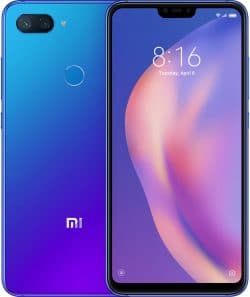
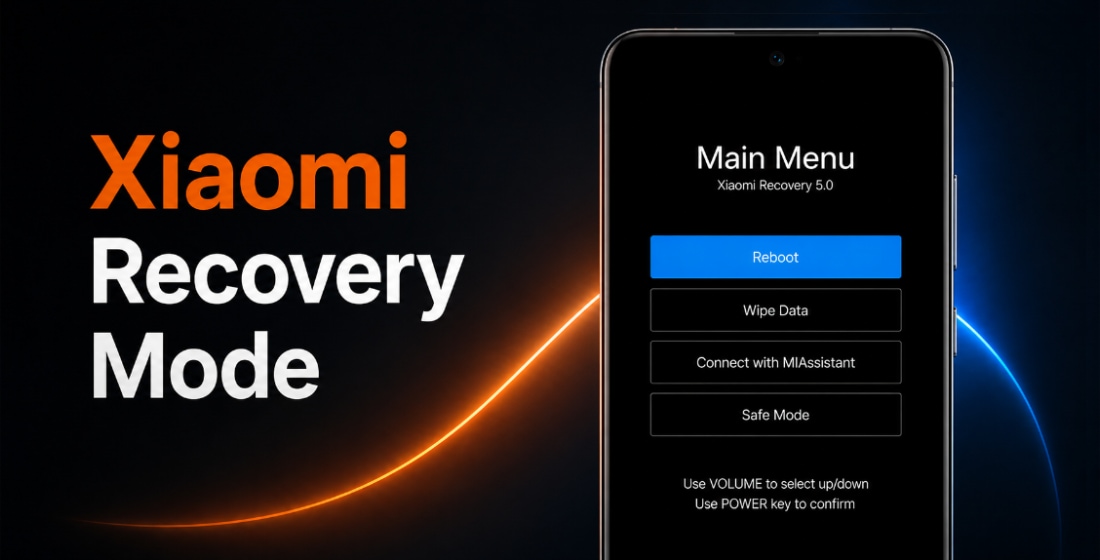
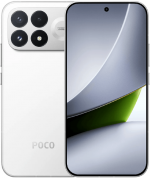
O firmware oficial para Mi 8 Lite (nome em código platina) inclui a última atualização estável do MIUI 12.5 com Android 10 e todas as versões anteriores, em formato Fastboot ROM, Recovery ROM e OTA.
Modelos do Dispositivo: Global (M1808D2TG), China (M1808D2TE, M1808D2TT, M1808D2TC). Todos os firmwares stock são baixados diretamente dos servidores da Xiaomi. Publicamos apenas links diretos para atualizações originais.
Últimas atualizações de firmware:
Suporte oficial
Finalizado (EOL)
Último SO
MIUI 12.5, Android 10
Global MIUI 12.0.3.0.QDTMIXM
Última atualização Global do firmware para Mi 8 Lite:
Recovery ROM
- Versão
- 12.0.3.0.QDTMIXM
- SO
- MIUI 12
- Android
- Android 10
- Lançamento
- 2020-09-21
- Tamanho
- 2.08 GB
- Link oficial
- Baixar (.zip)
- Mudanças
Expandir lista
Highlights
System animations
- New: All-new physically based animation engine with advanced architecture will refresh your device`s look.
- New: Dynamic window technology takes switching screen orientation to a new level.
- Optimization: Animations in selected scenes
System visuals
- Brand new visual design works for all types of content and languages.
- Magazine-level layouts bring important things into the spotlight and make content structure clear.
Floating windows
- New: Pull down a notification sent by a messenger app to turn it into a floating window.
- New: Floating windows keep apps running in the foreground even when you pause to do other things.
- New: You can minimize a floating window using a full screen gesture.
- Optimization: Press and hold an app preview in Recents to choose between Split screen and floating windows.
Control center
- New: Swipe down from the upper left corner to open Notification shade and from the upper right corner to open Control center
- New: When Notification shade is open, swipe down from the upper right corner to open Control center
- Optimization: Control center is now closed by incoming calls
- Optimization: Press and hold redirection options
- Fix: Control center wasn`t always displayed correctly in landscape mode
Dark mode
- New: Dark mode support is also provided for third party apps now.
- New: Contrast is lowered automatically in low light conditions to protect your eyes.
- New: Wallpapers can be displayed in darker palette when your device switches to Dark mode.
- Optimization: Brightness and color improvements for wallpapers in Dark mode
System
- Optimization: Full screen gestures are now ignored on the Lock screen alarm page
- Fix: Home screen went black and started flashing after unlocking in some cases
Status bar, Notification shade
- New: Screen lights up with an animation now
- New: Status bar color gradient animation
- Fix: Stat
Fastboot ROM (flash file)
- Versão
- 12.0.3.0.QDTMIXM
- SO
- MIUI 12
- Android
- Android 10
- Lançamento
- 2020-09-14
- Tamanho
- 2.57 GB
- Link oficial
- Baixar (.tgz)
- Mudanças
Expandir lista
Highlights
System animations
- New: All-new physically based animation engine with advanced architecture will refresh your device`s look.
- New: Dynamic window technology takes switching screen orientation to a new level.
- Optimization: Animations in selected scenes
System visuals
- Brand new visual design works for all types of content and languages.
- Magazine-level layouts bring important things into the spotlight and make content structure clear.
Floating windows
- New: Pull down a notification sent by a messenger app to turn it into a floating window.
- New: Floating windows keep apps running in the foreground even when you pause to do other things.
- New: You can minimize a floating window using a full screen gesture.
- Optimization: Press and hold an app preview in Recents to choose between Split screen and floating windows.
Control center
- New: Swipe down from the upper left corner to open Notification shade and from the upper right corner to open Control center
- New: When Notification shade is open, swipe down from the upper right corner to open Control center
- Optimization: Control center is now closed by incoming calls
- Optimization: Press and hold redirection options
- Fix: Control center wasn`t always displayed correctly in landscape mode
Dark mode
- New: Dark mode support is also provided for third party apps now.
- New: Contrast is lowered automatically in low light conditions to protect your eyes.
- New: Wallpapers can be displayed in darker palette when your device switches to Dark mode.
- Optimization: Brightness and color improvements for wallpapers in Dark mode
System
- Optimization: Full screen gestures are now ignored on the Lock screen alarm page
- Fix: Home screen went black and started flashing after unlocking in some cases
Status bar, Notification shade
- New: Screen lights up with an animation now
- New: Status bar color gradient animation
- Fix: Stat
Atualização OTA
- Versão
- 12.0.3.0.QDTMIXM
- Tamanho
- 841.45 MB
- Para a versão
- 11.0.3.0.QDTMIXM
- Link oficial
- Baixar (.zip)
China MIUI 12.5.1.0.QDTCNXM
Última atualização chinesa do firmware para Mi 8 Lite:
Recovery ROM
- Versão
- 12.5.1.0.QDTCNXM
- SO
- MIUI 12.5
- Android
- Android 10
- Lançamento
- 2021-06-25
- Tamanho
- 2.18 GB
- Link oficial
- Baixar (.zip)
- Mudanças
Expandir lista
Bug fixes and system optimizations.
Fastboot ROM (flash file)
- Versão
- 12.5.1.0.QDTCNXM
- SO
- MIUI 12.5
- Android
- Android 10
- Lançamento
- 2021-06-18
- Tamanho
- 2.90 GB
- Link oficial
- Baixar (.tgz)
- Mudanças
Expandir lista
Bug fixes and system optimizations.
Atualização OTA
- Versão
- 12.5.1.0.QDTCNXM
- Tamanho
- 540.74 MB
- Para a versão
- 12.0.2.0.QDTCNXM
- Link oficial
- Baixar (.zip)
Versões anteriores do firmware chinês de Mi 8 Lite:
MIUI 126
MIUI 12.0.2.0.QDTCNXMRecovery (2.27 GB)
2021-03-19Fastboot (2.92 GB)
2021-03-12OTA (416.13 MB)
para 12.0.1.0.QDTCNXM
Rússia MIUI 12.0.1.0.QDTRUXM
Última atualização russa do firmware para Mi 8 Lite:
Recovery ROM
- Versão
- 12.0.1.0.QDTRUXM
- SO
- MIUI 12
- Android
- Android 10
- Lançamento
- 2020-09-12
- Tamanho
- 2.08 GB
- Link oficial
- Baixar (.zip)
- Mudanças
Expandir lista
System animations
- Optimization: Animations in selected scenes
Control center
- New: Swipe down from the upper left corner to open Notification shade and from the upper right corner to open Control center
- New: When Notification shade is open, swipe down from the upper right corner to open Control center
- Optimization: Control center is now closed by incoming calls
- Optimization: Press and hold redirection options
- Fix: Control center wasn`t always displayed correctly in landscape mode
Dark mode
- Optimization: Brightness and color improvements for wallpapers in Dark mode
System
- Optimization: Full screen gestures are now ignored on the Lock screen alarm page
- Fix: Home screen went black and started flashing after unlocking in some cases
- Updated Android Security Patch to August 2020. Increased system security.
Status bar, Notification shade
- New: Screen lights up with an animation now
- New: Status bar color gradient animation
- Fix: Status bar wasn`t displayed correctly with color inversion
Fastboot ROM (flash file)
- Versão
- 12.0.1.0.QDTRUXM
- SO
- MIUI 12
- Android
- Android 10
- Lançamento
- 2020-09-04
- Tamanho
- 2.57 GB
- Link oficial
- Baixar (.tgz)
- Mudanças
Expandir lista
System animations
- Optimization: Animations in selected scenes
Control center
- New: Swipe down from the upper left corner to open Notification shade and from the upper right corner to open Control center
- New: When Notification shade is open, swipe down from the upper right corner to open Control center
- Optimization: Control center is now closed by incoming calls
- Optimization: Press and hold redirection options
- Fix: Control center wasn`t always displayed correctly in landscape mode
Dark mode
- Optimization: Brightness and color improvements for wallpapers in Dark mode
System
- Optimization: Full screen gestures are now ignored on the Lock screen alarm page
- Fix: Home screen went black and started flashing after unlocking in some cases
- Updated Android Security Patch to August 2020. Increased system security.
Status bar, Notification shade
- New: Screen lights up with an animation now
- New: Status bar color gradient animation
- Fix: Status bar wasn`t displayed correctly with color inversion
Atualização OTA
- Versão
- 12.0.1.0.QDTRUXM
- Tamanho
- 731.29 MB
- Para a versão
- 11.0.2.0.QDTRUXM
- Link oficial
- Baixar (.zip)
Mi 8 Lite atingiu o status EOL (end-of-life, fim da vida útil) no catálogo oficial da Xiaomi: o suporte foi encerrado, novos firmwares e patches de segurança não são mais publicados, e o dispositivo não receberá MIUI 13.
A última atualização do MIUI 12.5 nem sempre é a melhor. Antes de atualizar ou flashear o seu Mi 8 Lite (platina), leia as opiniões no XDA Developers ou nos fóruns da comunidade Xiaomi. Se ao instalar uma ROM completa ou uma atualização OTA aparecerem problemas, deixe um comentário indicando a região do firmware e o número da versão.
Mi 8 Lite Test Point