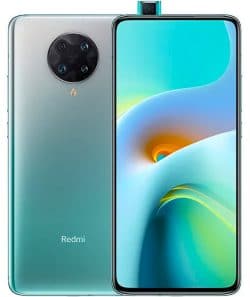
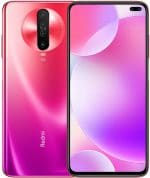
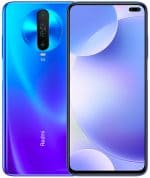
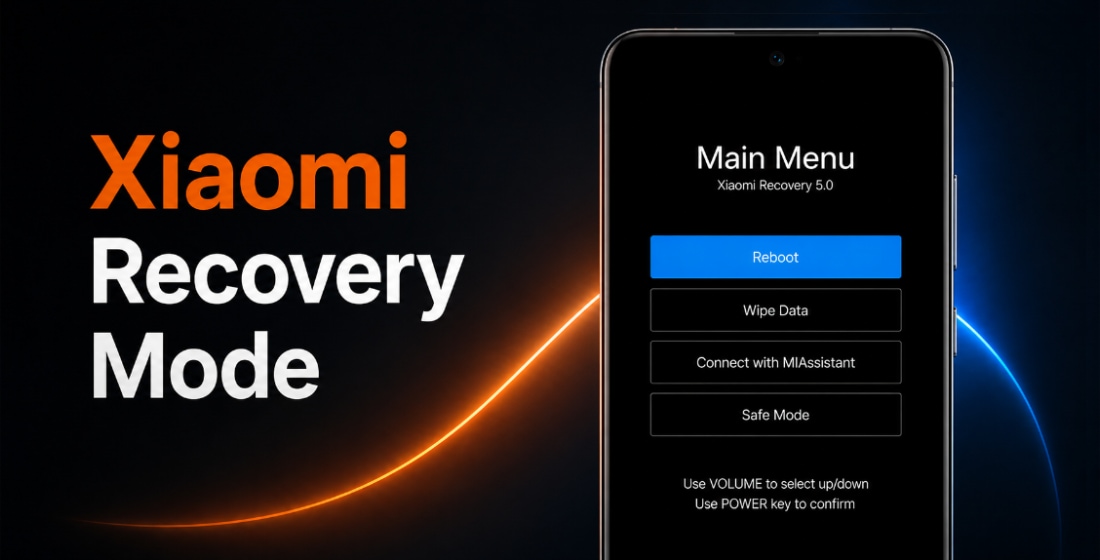
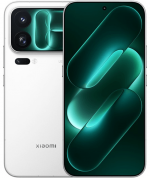
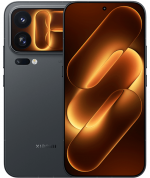
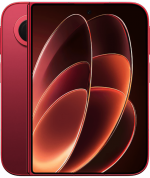
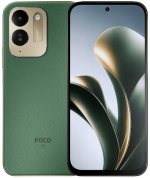
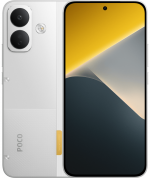
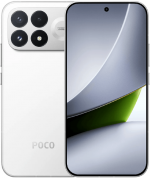
O firmware oficial para REDMI K30S Ultra (nome em código apollo) inclui a última atualização estável do MIUI 14 com Android 12 e todas as versões anteriores, em formato Fastboot ROM, Recovery ROM e OTA.
Modelos do Dispositivo: M2007J3SC (China). Todos os firmwares stock são baixados diretamente dos servidores da Xiaomi. Publicamos apenas links diretos para atualizações originais.
Últimas atualizações de firmware:
Suporte oficial
Finalizado (EOL)
Último SO
MIUI 14, Android 12
-
Lançamento
› MIUI 12 Android 11
-
Fev 2022
›› MIUI 13 Android 12
-
Mar 2023
››› MIUI 14 Android 12
China MIUI 14.0.5.0.SJDCNXM
Última atualização chinesa do firmware para REDMI K30S Ultra:
Recovery ROM
- Versão
- 14.0.5.0.SJDCNXM
- SO
- MIUI 14
- Android
- Android 12
- Lançamento
- 2023-03-08
- Tamanho
- 4.72 GB
- Link oficial
- Baixar (.zip)
- Mudanças
Expandir lista
MIUI 14
Highlights
- Attention to detail redefines personalization and brings it to a new level.
- Mi Smart Hub gets a significant revamp, works much faster, and supports more devices.
- Family services allow sharing all the essential things with the people you care about most.
- More than 30 scenes now support end-to-end privacy with no data stored in the cloud and all actions performed locally on the device.
- Improved system architecture comprehensively boosts the performance of both pre-installed and third-party apps while saving power.
System
- Updated Android Security Patch to February 2023. Increased system security.
Personalization
- Attention to detail redefines personalization and brings it to a new level.
- Super icons will give your Home screen a new look. (Update Home screen and Themes to the latest version to be able to use Super icons.)
- New widget formats allow more combinations, making your experience even more convenient.
- Home screen folders will highlight the apps you need most making them just one tap away from you.
- Want a plant or pet to always wait for you on your Home screen? MIUI has lots of them to offer now!
Privacy protection
- More than 30 scenes now support end-to-end privacy with no data stored in the cloud and all actions performed locally on the device.
- You can press and hold the text on a Gallery image to instantly recognize it now. 8 languages are supported.
Interconnectivity
- You can easily connect earphones to your phone, tablet, and TV, and switch between these devices seamlessly.
- Whenever text input is required on your TV, you can get a convenient pop-up on your phone and enter text there.
- Mi Smart Hub gets a significant revamp, works much faster, and supports more devices.
- Bandwidth allocated to interconnectivity makes discovering, connecting, and transferring items much faster.
Family services
- Family services allow sharing all the essential things with the people you care about most.
- Family services allow creating of groups with up to 8 members and offer various roles with different permissions.
- You can share photo albums with your family group now. Everyone in the group will be able to view and upload new items.
- Set your shared album as a screensaver on your TV and let all your family members enjoy these joyful memories together!
- Family services allow sharing of health data (e.g. heart rate, blood oxygen, and sleep) with family members.
- Child accounts offer a series of sophisticated measures of parental controls, from limiting screen time and restricting app usage to setting a secure area.
Mi AI voice assistant
- Mi AI is no longer just a voice assistant. You can use it as a scanner, translator, call assistant, and more.
- Mi AI allows you to perform complicated daily tasks by using simple voice commands. Communicating with your device could never be easier.
- With Mi AI, you can scan and recognize anything - be it an unfamiliar plant or an important document.
- Mi AI is ready to help whenever you bump into a language barrier. Smart translation tools support multiple languages.
- Dealing with calls is so convenient with Mi AI: it can filter spam calls or easily take care of the calls for you.
More features and improvements
- Search in Settings is now more advanced. With search history and categories in results, everything looks much crisper now.
- Your device can work with much more types of wireless card readers. You can open supported cars or swipe student IDs with your phone now.
- Whenever you sign out of your account, you can choose to keep all your cards on the device without having to add them again next time.
Fastboot ROM (flash file)
- Versão
- 14.0.5.0.SJDCNXM
- SO
- MIUI 14
- Android
- Android 12
- Lançamento
- 2023-03-01
- Tamanho
- 5.33 GB
- Link oficial
- Baixar (.tgz)
- Mudanças
Expandir lista
MIUI 14
Highlights
- Attention to detail redefines personalization and brings it to a new level.
- Mi Smart Hub gets a significant revamp, works much faster, and supports more devices.
- Family services allow sharing all the essential things with the people you care about most.
- More than 30 scenes now support end-to-end privacy with no data stored in the cloud and all actions performed locally on the device.
- Improved system architecture comprehensively boosts the performance of both pre-installed and third-party apps while saving power.
System
- Updated Android Security Patch to February 2023. Increased system security.
Personalization
- Attention to detail redefines personalization and brings it to a new level.
- Super icons will give your Home screen a new look. (Update Home screen and Themes to the latest version to be able to use Super icons.)
- New widget formats allow more combinations, making your experience even more convenient.
- Home screen folders will highlight the apps you need most making them just one tap away from you.
- Want a plant or pet to always wait for you on your Home screen? MIUI has lots of them to offer now!
Privacy protection
- More than 30 scenes now support end-to-end privacy with no data stored in the cloud and all actions performed locally on the device.
- You can press and hold the text on a Gallery image to instantly recognize it now. 8 languages are supported.
Interconnectivity
- You can easily connect earphones to your phone, tablet, and TV, and switch between these devices seamlessly.
- Whenever text input is required on your TV, you can get a convenient pop-up on your phone and enter text there.
- Mi Smart Hub gets a significant revamp, works much faster, and supports more devices.
- Bandwidth allocated to interconnectivity makes discovering, connecting, and transferring items much faster.
Family services
- Family services allow sharing all the essential things with the people you care about most.
- Family services allow creating of groups with up to 8 members and offer various roles with different permissions.
- You can share photo albums with your family group now. Everyone in the group will be able to view and upload new items.
- Set your shared album as a screensaver on your TV and let all your family members enjoy these joyful memories together!
- Family services allow sharing of health data (e.g. heart rate, blood oxygen, and sleep) with family members.
- Child accounts offer a series of sophisticated measures of parental controls, from limiting screen time and restricting app usage to setting a secure area.
Mi AI voice assistant
- Mi AI is no longer just a voice assistant. You can use it as a scanner, translator, call assistant, and more.
- Mi AI allows you to perform complicated daily tasks by using simple voice commands. Communicating with your device could never be easier.
- With Mi AI, you can scan and recognize anything - be it an unfamiliar plant or an important document.
- Mi AI is ready to help whenever you bump into a language barrier. Smart translation tools support multiple languages.
- Dealing with calls is so convenient with Mi AI: it can filter spam calls or easily take care of the calls for you.
More features and improvements
- Search in Settings is now more advanced. With search history and categories in results, everything looks much crisper now.
- Your device can work with much more types of wireless card readers. You can open supported cars or swipe student IDs with your phone now.
- Whenever you sign out of your account, you can choose to keep all your cards on the device without having to add them again next time.
Atualização OTA
- Versão
- 14.0.5.0.SJDCNXM
- Tamanho
- 1.05 GB
- Para a versão
- 13.0.7.0.SJDCNXM
- Link oficial
- Baixar (.zip)
Versões anteriores do firmware chinês de REDMI K30S Ultra:
MIUI 1312
MIUI 13.0.7.0.SJDCNXMRecovery (4.62 GB)
2022-12-11Fastboot (5.28 GB)
2022-11-07
MIUI 13.0.6.0.SJDCNXMRecovery (4.68 GB)
2022-08-29Fastboot (5.57 GB)
2022-08-18OTA (523.58 MB)
para 13.0.5.0.SJDCNXM
MIUI 13.0.5.0.SJDCNXMRecovery (4.63 GB)
2022-06-02Fastboot (5.52 GB)
2022-05-27OTA (1.39 GB)
para 13.0.4.0.SJDCNXM
MIUI 13.0.4.0.SJDCNXMRecovery (4.61 GB)
2022-03-17OTA (241.28 MB)
para 13.0.1.0.SJDCNXM
MIUI 13.0.1.0.SJDCNXMRecovery (4.61 GB)
2022-02-25Fastboot (5.50 GB)
2022-02-11
MIUI 12.511
MIUI 12.5.8.0.RJDCNXMRecovery (4.13 GB)
2021-12-18Fastboot (5.17 GB)
2021-12-06OTA (169.64 MB)
para 12.5.7.0.RJDCNXM
MIUI 12.5.7.0.RJDCNXMRecovery (4.13 GB)
2021-11-12Fastboot (5.17 GB)
2021-10-24OTA (1.00 GB)
para 12.5.5.0.RJDCNXM
MIUI 12.5.5.0.RJDCNXMRecovery (3.85 GB)
2021-09-08Fastboot (4.89 GB)
2021-08-31OTA (495.03 MB)
para 12.5.4.0.RJDCNXM
MIUI 12.5.3.0.RJDCNXMRecovery (3.87 GB)
2021-08-10OTA (574.21 MB)
para 12.5.2.0.RJDCNXM
REDMI K30S Ultra atingiu o status EOL (end-of-life, fim da vida útil) no catálogo oficial da Xiaomi: o suporte foi encerrado, novos firmwares e patches de segurança não são mais publicados, e o dispositivo não receberá HyperOS 1.
A última atualização do MIUI 14 nem sempre é a melhor. Antes de atualizar ou flashear o seu REDMI K30S Ultra (apollo), leia as opiniões no XDA Developers ou nos fóruns da comunidade Xiaomi. Se ao instalar uma ROM completa ou uma atualização OTA aparecerem problemas, deixe um comentário indicando a região do firmware e o número da versão.