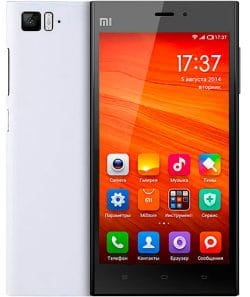
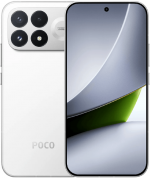
O firmware oficial para Mi 3 TD (nome em código pisces) inclui a última atualização estável do MIUI 9 com Android 4.4 e todas as versões anteriores, em formato Fastboot ROM, Recovery ROM e OTA.
Modelos do Dispositivo: 2013061 (TD-SCDMA). Todos os firmwares stock são baixados diretamente dos servidores da Xiaomi. Publicamos apenas links diretos para atualizações originais.
Últimas atualizações de firmware:
Suporte oficial
Finalizado (EOL)
Último SO
MIUI 9, Android 4.4
China MIUI 9.2.3.0.KXCCNEK
Última atualização chinesa do firmware para Mi 3 TD:
Recovery ROM
- Versão
- 9.2.3.0.KXCCNEK
- SO
- MIUI 9
- Android
- Android 4.4
- Lançamento
- 2018-09-07
- Tamanho
- 456.08 MB
- Link oficial
- Baixar (.zip)
- Mudanças
Expandir lista
MIUI9 Lightning fast
- Deep-level system optimizations
- Added improved image search
- Simpler Home screen editing
- Smart notifications filter
- Shortcuts for frequently used features on the left side of the Lock screen
- Revamped and simplified 50+ features
- Introducing MIUI Labs
- Image search is turned on in MIUI Labs
Turn the filter for notifications on and off in the Settings.
Lockscreen, Status Bar, Notification Bar
- Optimization - Adjusted time for tapping the Lock screen notifications(10-24)
- Fix - The search bar in the Notification shade wasn`t displayed correctly(06-27)
Home screen
- Optimization - Folders open faster(07-10)
- Optimization - Users can set their main Home screen in the editing mode(08-29)
- Optimization - Multiple themes supported on the clock widget(10-19)
- Optimization - Adding widgets to an empty spot with a single tap(10-31)
Themes
- Optimization - Redesigned home page(08-24)
- Optimization - Updated Peach blossom and Asphalt themes(09-14)
- Optimization - Hide free and incompatible themes in the list of the purchased items(10-10)
- Optimization - `Add to favorites` icon adjustments(10-24)
- Optimization - Launching speed(07-01)
Mi Account
- Optimization - Reduced the number of push notifications when the user is signed out(10-30)
Quick Ball
- New - Quick ball goes back to the edge after 3 seconds of inactivity(08-30)
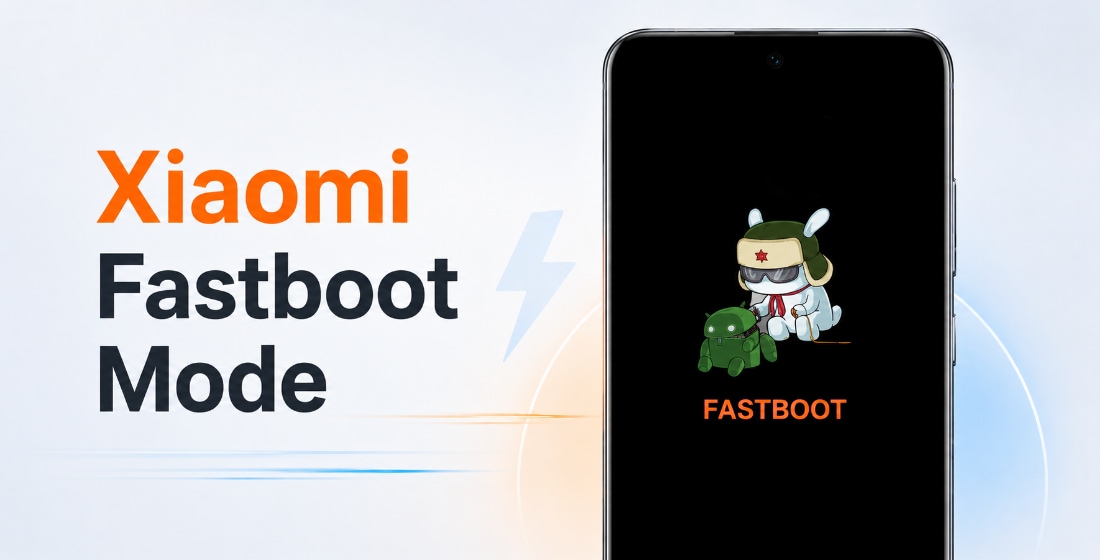
Fastboot ROM (flash file)
- Versão
- 9.2.3.0.KXCCNEK
- SO
- MIUI 9
- Android
- Android 4.4
- Lançamento
- 2017-12-29
- Tamanho
- 880.23 MB
- Link oficial
- Baixar (.tgz)
- Mudanças
Expandir lista
MIUI9 Lightning fast
- Deep-level system optimizations
- Added improved image search
- Simpler Home screen editing
- Smart notifications filter
- Shortcuts for frequently used features on the left side of the Lock screen
- Revamped and simplified 50+ features
- Introducing MIUI Labs
- Image search is turned on in MIUI Labs
Turn the filter for notifications on and off in the Settings.
Lockscreen, Status Bar, Notification Bar
- Optimization - Adjusted time for tapping the Lock screen notifications(10-24)
- Fix - The search bar in the Notification shade wasn`t displayed correctly(06-27)
Home screen
- Optimization - Folders open faster(07-10)
- Optimization - Users can set their main Home screen in the editing mode(08-29)
- Optimization - Multiple themes supported on the clock widget(10-19)
- Optimization - Adding widgets to an empty spot with a single tap(10-31)
Themes
- Optimization - Redesigned home page(08-24)
- Optimization - Updated Peach blossom and Asphalt themes(09-14)
- Optimization - Hide free and incompatible themes in the list of the purchased items(10-10)
- Optimization - `Add to favorites` icon adjustments(10-24)
- Optimization - Launching speed(07-01)
Mi Account
- Optimization - Reduced the number of push notifications when the user is signed out(10-30)
Quick Ball
- New - Quick ball goes back to the edge after 3 seconds of inactivity(08-30)
Mi 3 TD atingiu o status EOL (end-of-life, fim da vida útil) no catálogo oficial da Xiaomi: o suporte foi encerrado, novos firmwares e patches de segurança não são mais publicados, e o dispositivo não receberá MIUI 10.
A última atualização do MIUI 9 nem sempre é a melhor. Antes de atualizar ou flashear o seu Mi 3 TD (pisces), leia as opiniões no XDA Developers ou nos fóruns da comunidade Xiaomi. Se ao instalar uma ROM completa ou uma atualização OTA aparecerem problemas, deixe um comentário indicando a região do firmware e o número da versão.