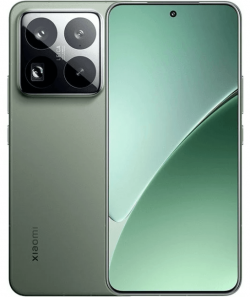
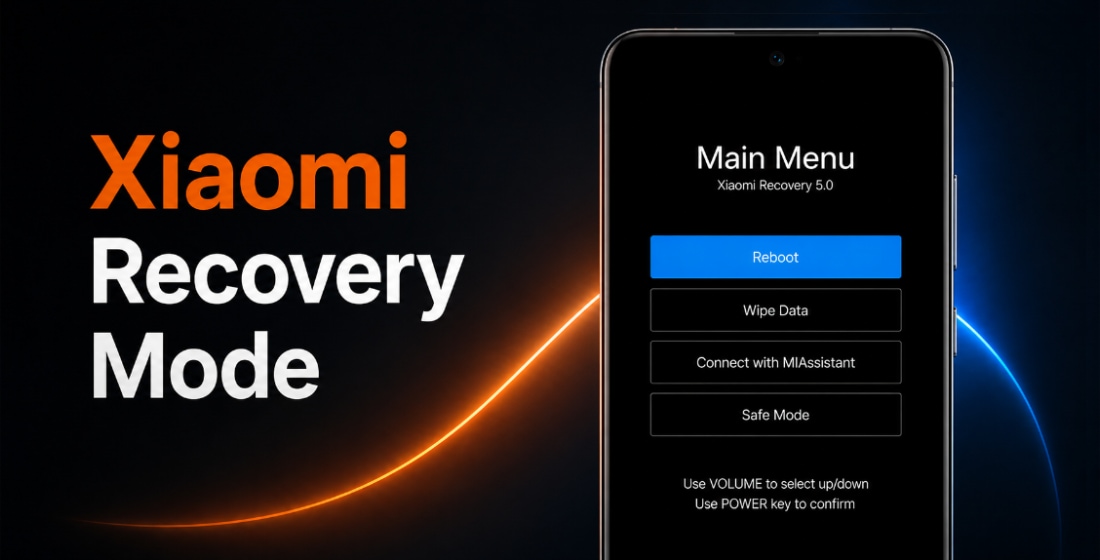
Official Xiaomi 15 Pro firmware (codename haotian) includes stable HyperOS versions. They can be downloaded as Fastboot ROM, Recovery ROM, and OTA updates.
Phone models: 2410DPN6CC (China). All files are original stock Xiaomi ROMs, freely available from miui.com. We simply provide direct download links to official flash files and system updates.
| Model name | Xiaomi 15 Pro |
|---|---|
| Release date | February 2025 |
| Support | Active |
| Current OS | HyperOS 3, Android 16 |
- February 2025releaseHyperOS 2 Android 15
- October 2025moved toHyperOS 3Android 16
- China 70 › HyperOS 3.0.301.0.WOBCNXM
China HyperOS 3.0.301.0.WOBCNXM
The latest Chinese HyperOS version for Xiaomi 15 Pro by Xiaomi:
Recovery ROM
- Version
- 3.0.301.0.WOBCNXM
- OS
- HyperOS 3
- Android
- Android 16
- Release date
- 2026-03-18
- File size
- 8.53 GB
- Official Link
- Download (.zip)
- Changelog
- Expand list
Comprehensive system app optimization
- Xiaomi HyperIsland:
- New: Support for Xiaomi HyperIsland in File Manager, showing real time progress for online files
- New: Support for Xiaomi HyperIsland with transit and key cards, including swiping from the Lock screen
- Xiaomi Hyper XiaoAi:
- New: Support for continuous conversations with Xiaomi Hyper XiaoAi while holding the Power button
- Camera:
- New: A one-tap download for the `Mi-LOG to Rec.709` color conversion LUT file from the Pro video intro page in Camera settings
- Optimization: Added a preset management page and support for bulk import/export of preset parameters for Pro mode
- Recorder:
- New: Support for generating a summary in the Recorder app, then asking Xiaomi Hyper XiaoAi questions about the recording
- Fix: An occasional recording error during long recordings
- Fix: Duplicate recording entries in some cases
- Calendar:
- Optimization: Holiday display in Calendar, with more traditional festivals and historical commemorative days
- Fix: An issue where dates displayed incorrectly in some cases
- Family Guard:
- New: The option to view and edit Family Guard settings before you turn on Child mode
- Optimization: Saving feature settings when turning off On-device guardianship
- Optimization: Screen time stats in Child mode
- Other improvements:
- New: Clarity mode brings together text and icon size, ringtone volume, scam call blocking, and other phone settings
- New: The option to tap the status bar to return to the top of the page in some apps and scenarios
- Optimization: Mi Mover now supports transferring more data, including some settings and user data from system apps
- Optimization: The toggle behavior for call noise reduction in the Call toolbox, so it can keep your previous setting
- Optimization: Gallery search animations for smoother transitions
- Fix: Cloud drive file thumbnails in File Manager displayed incorrectly in some cases
- Fix: An issue where macOS compressed files didn`t display properly in File Manager in some cases
- Fix: An issue where WeChat couldn`t access screenshots in some cases
- Fix: Stuttering when loading multilingual screenshot thumbnails in some cases
- Fix: An input field display issue when renaming a custom card in Smart cards in Dark mode
- Fix: Overlapping buttons in Smart cards in some cases
- Optimization: The timeliness and accuracy of weather location updates when your location changes
- New: One-tap upload in Gallery to submit your work to the Xiaomi Imagery Global Awards Curated with Leica
- *To use this feature, make sure Security is version 12.3.1-260225.0.1 or later, and Mi Store is version 5.49.0 or later
Interconnectivity
- New: Tap the NFC area on your Xiaomi phone or iPhone to quickly share recordings and notes
- New: Xiaomi phones now support AirPods, including fast pair pop-ups, battery status, Spatial Audio, noise cancellation switching, and Find My
- New: After SMS verification codes received on iPhone are synced to your Xiaomi phone, they can be detected and copied with one tap
- New: After Xiaomi phone calls are synced to your iPhone, you can answer them on your iPhone
- *On your iPhone, turn on `Sync notifications` for calls in Xiaomi Interconnectivity, and make sure both your Xiaomi phone and iPhone are connected to the internet
- Optimization: When you open Xiaomi phone apps in while using Screen Mirroring on iPhone, you can use the input method set on your Xiaomi phone at the same time
- New: On Mac, Xiaomi Interconnectivity now lets you view Xiaomi Cloud Notes and Gallery
Basic experience
- New: A stacked layout for Recents for a more polished look and smoother navigation
- Optimization: Resource scheduling by delaying background app resource allocation to reduce lag in foreground apps
- Optimization: Smoother Gallery and Weather experience
- Optimization: Power consumption efficiency when watching short videos
Privacy and security
- New: With the Passwords app, you can auto-save, autofill, and sync end-to-end encrypted passwords across devices
- New: More system apps now support Private access, with ongoing compatibility improvements for additional apps
- Optimization: Updated `Fingerprints, face data, and screen lock` page layout for easier, faster setup
Fastboot ROM
- Version
- 3.0.301.0.WOBCNXM
- OS
- HyperOS 3
- Android
- Android 16
- Release date
- 2026-03-10
- Flash file size
- 12.15 GB
- Official Link
- Download (.tgz)
- Changelog
- Expand list
Comprehensive system app optimization
- Xiaomi HyperIsland:
- New: Support for Xiaomi HyperIsland in File Manager, showing real time progress for online files
- New: Support for Xiaomi HyperIsland with transit and key cards, including swiping from the Lock screen
- Xiaomi Hyper XiaoAi:
- New: Support for continuous conversations with Xiaomi Hyper XiaoAi while holding the Power button
- Camera:
- New: A one-tap download for the `Mi-LOG to Rec.709` color conversion LUT file from the Pro video intro page in Camera settings
- Optimization: Added a preset management page and support for bulk import/export of preset parameters for Pro mode
- Recorder:
- New: Support for generating a summary in the Recorder app, then asking Xiaomi Hyper XiaoAi questions about the recording
- Fix: An occasional recording error during long recordings
- Fix: Duplicate recording entries in some cases
- Calendar:
- Optimization: Holiday display in Calendar, with more traditional festivals and historical commemorative days
- Fix: An issue where dates displayed incorrectly in some cases
- Family Guard:
- New: The option to view and edit Family Guard settings before you turn on Child mode
- Optimization: Saving feature settings when turning off On-device guardianship
- Optimization: Screen time stats in Child mode
- Other improvements:
- New: Clarity mode brings together text and icon size, ringtone volume, scam call blocking, and other phone settings
- New: The option to tap the status bar to return to the top of the page in some apps and scenarios
- Optimization: Mi Mover now supports transferring more data, including some settings and user data from system apps
- Optimization: The toggle behavior for call noise reduction in the Call toolbox, so it can keep your previous setting
- Optimization: Gallery search animations for smoother transitions
- Fix: Cloud drive file thumbnails in File Manager displayed incorrectly in some cases
- Fix: An issue where macOS compressed files didn`t display properly in File Manager in some cases
- Fix: An issue where WeChat couldn`t access screenshots in some cases
- Fix: Stuttering when loading multilingual screenshot thumbnails in some cases
- Fix: An input field display issue when renaming a custom card in Smart cards in Dark mode
- Fix: Overlapping buttons in Smart cards in some cases
- Optimization: The timeliness and accuracy of weather location updates when your location changes
- New: One-tap upload in Gallery to submit your work to the Xiaomi Imagery Global Awards Curated with Leica
- *To use this feature, make sure Security is version 12.3.1-260225.0.1 or later, and Mi Store is version 5.49.0 or later
Interconnectivity
- New: Tap the NFC area on your Xiaomi phone or iPhone to quickly share recordings and notes
- New: Xiaomi phones now support AirPods, including fast pair pop-ups, battery status, Spatial Audio, noise cancellation switching, and Find My
- New: After SMS verification codes received on iPhone are synced to your Xiaomi phone, they can be detected and copied with one tap
- New: After Xiaomi phone calls are synced to your iPhone, you can answer them on your iPhone
- *On your iPhone, turn on `Sync notifications` for calls in Xiaomi Interconnectivity, and make sure both your Xiaomi phone and iPhone are connected to the internet
- Optimization: When you open Xiaomi phone apps in while using Screen Mirroring on iPhone, you can use the input method set on your Xiaomi phone at the same time
- New: On Mac, Xiaomi Interconnectivity now lets you view Xiaomi Cloud Notes and Gallery
Basic experience
- New: A stacked layout for Recents for a more polished look and smoother navigation
- Optimization: Resource scheduling by delaying background app resource allocation to reduce lag in foreground apps
- Optimization: Smoother Gallery and Weather experience
- Optimization: Power consumption efficiency when watching short videos
Privacy and security
- New: With the Passwords app, you can auto-save, autofill, and sync end-to-end encrypted passwords across devices
- New: More system apps now support Private access, with ongoing compatibility improvements for additional apps
- Optimization: Updated `Fingerprints, face data, and screen lock` page layout for easier, faster setup
Download previous Chinese firmware updates for Xiaomi 15 Pro:
2026-01-21Fastboot (11.77 GB)
2026-01-13
2025-12-22
2025-11-05Fastboot (11.74 GB)
2025-10-28
2025-10-15Fastboot (11.60 GB)
2025-10-12
2025-09-23
2025-08-21Fastboot (10.88 GB)
2025-08-13
2025-07-25Fastboot (10.87 GB)
2025-07-16
2025-07-11
2025-07-04
2025-06-10Fastboot (10.87 GB)
2025-06-04
2025-05-30
2025-05-28
2025-05-07Fastboot (10.84 GB)
2025-04-23OTA (159.62 MB)
for 2.0.116.0.VOBCNXM
2025-04-18Fastboot (10.85 GB)
2025-04-16OTA (203.02 MB)
for 2.0.112.0.VOBCNXM
2025-04-15
2025-04-03Fastboot (10.94 GB)
2025-03-27OTA (143.44 MB)
for 2.0.108.0.VOBCNXM
2025-03-07Fastboot (10.94 GB)
2025-03-04OTA (156.74 MB)
for 2.0.107.0.VOBCNXM
2025-02-26Fastboot (10.97 GB)
2025-02-18OTA (420.21 MB)
for 2.0.105.0.VOBCNXM
2025-02-14Fastboot (10.91 GB)
2025-01-24OTA (172.21 MB)
for 2.0.104.0.VOBCNXM
2025-01-22OTA (364.46 MB)
for 2.0.101.0.VOBCNXM
2025-01-17
2025-01-09Fastboot (10.95 GB)
2024-12-24OTA (853.75 MB)
for 2.0.28.0.VOBCNXM
2024-12-30Fastboot (10.73 GB)
2024-12-12OTA (447.69 MB)
for 2.0.26.0.VOBCNXM
2024-12-12Fastboot (10.75 GB)
2024-12-03OTA (139.97 MB)
for 2.0.25.0.VOBCNXM
2024-12-05Fastboot (10.75 GB)
2024-11-27OTA (560.77 MB)
for 2.0.23.0.VOBCNXM
2024-11-23Fastboot (10.85 GB)
2024-11-20OTA (636.22 MB)
for 2.0.20.0.VOBCNXM
2024-11-18
2024-11-15Fastboot (10.68 GB)
2024-11-12OTA (217.85 MB)
for 2.0.17.0.VOBCNXM
2024-11-08OTA (153.71 MB)
for 2.0.16.0.VOBCNXM
2024-11-06OTA (915.01 MB)
for 2.0.12.0.VOBCNXM
2024-10-29Fastboot (10.67 GB)
2024-10-26OTA (165.61 MB)
for 2.0.11.0.VOBCNXM
2025-08-31
2024-10-29
The new HyperOS update is not necessarily the best. Before updating Xiaomi 15 Pro (haotian), read reviews on 4PDA or XDA Developers. If installing a Flash File, full ROM, or the new OTA update caused issues, please let us know in the comments and mention the version number.