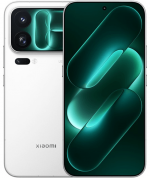
Official Xiaomi 12S firmware (codename mayfly) includes stable HyperOS and MIUI versions. They can be downloaded as Fastboot ROM, Recovery ROM, and OTA updates.
Phone models: 2206123SC (China). All files are original stock Xiaomi ROMs, freely available from miui.com. We simply provide direct download links to official flash files and system updates.
| Model name | Xiaomi 12S |
|---|---|
| Release date | July 2022 |
| Support | Active |
| Current OS | HyperOS 3, Android 15 |
- July 2022releaseMIUI 13 Android 12
- December 2022moved toMIUI 14Android 13
- January 2024moved toHyperOS 1Android 14
- January 2025moved toHyperOS 2Android 15
- January 2026moved toHyperOS 3
- China 95 › HyperOS 3.0.2.0.VLTCNXM
China HyperOS 3.0.2.0.VLTCNXM
The latest Chinese HyperOS version for Xiaomi 12S by Xiaomi:
Recovery ROM
- Version
- 3.0.2.0.VLTCNXM
- OS
- HyperOS 3
- Android
- Android 15
- Release date
- 2026-01-14
- File size
- 6.35 GB
- Official Link
- Download (.zip)
- Changelog
- Expand list
Basic experience
- Smoother and more stable
- Performance enhancements:
- Optimization: Refined compiler instructions enhance performance and responsiveness while lowering power use.
- Optimization: Improved memory allocation and recovery increases available system memory.
- Optimization: Improved integrated frequency scheduling boosts system efficiency and reduces power consumption.
- Optimization: Improved short-video playback efficiency for better battery life.
- Optimized graphics:
- A new window-rendering mechanism reduces graphics-rendering load.
- Smoother system animations:
- Optimization: Fine-tuned animations across 100+ system scenes for smoother, more natural motion.
Xiaomi HyperIsland
- Everything you need to keep an eye on. In one place.
- A new format that combines Notification spotlight and device notifications makes any important updates reach you faster.
- New UI design lets you see all the details at a glance, with smoother switching between islands.
- Now you can pull down to expand small windows and handle multiple tasks more efficiently.
- Drag ride-hailing trips and other live updates straight into chats for quicker sharing.
Revamped visuals
- Cleaner, more refined visuals throughout.
- Redesigned Home screen icons now look sharper and more detailed.
- The Home screen grid has been redesigned with more balanced margins and more comfortable spacing.
- The status bar has a new, cleaner design that`s more refined and easier to read.
- A new design system improves color comfort, unifies rounded corners across the entire system, and makes controls easier to use for a more consistent look and feel.
- A new large-clock Lock screen adds more depth and layers to the layout.
- A new all-in-one editor allows you to adjust both the Home screen and Lock screen wallpapers at the same time.
Comprehensive system app optimization
- Interaction with apps has become more intuitive and direct.
- Gallery:
- New: New Gallery widgets allow you to select your preferred collections for display.
- New: You can pin albums now to have quick access to your favorite photos anytime.
- Weather:
- Optimization: Improved content card blur effects for a smoother, more immersive scrolling experience.
- Calendar:
- New: Week view gives you a clear look at your weekly schedule.
- New: You can check your daily horoscope easily now.
- Optimization: Improved month-view visuals give you clearer highlights for holidays and important events.
- Recorder:
- New: With technical term and dialect recognition, your transcriptions have become even more accurate.
- New: Structured summaries let you review recorded content more efficiently.
- Optimization: Accurate start page categories let you locate recordings faster with icons.
- Other improvements:
- New: Travel assistant now supports Railway 12306 with real-time trip reminders and ticket info for bookings made by others.
- New: Alarms can now be used with your work shift schedule.
- New: Messaging now supports marking items as read in one tap.
- Optimization: Improved Child mode with unified time tracking across devices, eye care features, and better protection tools.
Interconnectivity
- Cross-ecosystem interconnectivity offers deep compatibility with the Apple ecosystem.
- IPhone interconnectivity:
- Two-way notification sync allows WeChat, QQ, SMS, and call alerts to be synchronized between Xiaomi phones and iPhones.
- When connected to the same network, an iPhone can mirror and reply to WeChat and QQ messages from a Xiaomi phone.
- When on the same network, an iPhone can share photos or files directly to WeChat or QQ on a Xiaomi phone.
- View and use your Gallery synced to Xiaomi Cloud on an iPhone, connect to your Xiaomi phone via hotspot in one tap, and easily locate your devices.
- IPad interconnectivity:
- New: Home screen+ enables Xiaomi phones to mirror screen content to your iPad.
- View and use your Gallery synced to Xiaomi Cloud on an iPad, connect to your Xiaomi phone via hotspot in one tap, and easily locate your devices.
- Mac interconnectivity:
- You can connect to your Xiaomi phone via hotspot in one tap and view its location on a Mac.
- Now you can open multiple phone apps simultaneously and adjust their window sizes.
- Cross-device unlocking:
- Use the fingerprint or password on your Xiaomi tablet to unlock your Xiaomi phone.
- Use face recognition on your Xiaomi EV to unlock your Xiaomi phone.
- Unlock your Xiaomi phone quickly using Touch ID, Face ID, or password on an iPhone, iPad, or Mac.
- Interconnectivity availability:
- * Touch to share: Requires iPhone 12 or newer running iOS 17 or later.
- * To use interconnectivity with Apple devices, update them to iOS 14, iPadOS 14, or macOS 12 or later.
- * Apple devices must have the latest version of Xi
Fastboot ROM
- Version
- 3.0.2.0.VLTCNXM
- OS
- HyperOS 3
- Android
- Android 15
- Release date
- 2026-01-09
- Flash file size
- 7.65 GB
- Official Link
- Download (.tgz)
- Changelog
- Expand list
Basic experience
- Smoother and more stable
- Performance enhancements:
- Optimization: Refined compiler instructions enhance performance and responsiveness while lowering power use.
- Optimization: Improved memory allocation and recovery increases available system memory.
- Optimization: Improved integrated frequency scheduling boosts system efficiency and reduces power consumption.
- Optimization: Improved short-video playback efficiency for better battery life.
- Optimized graphics:
- A new window-rendering mechanism reduces graphics-rendering load.
- Smoother system animations:
- Optimization: Fine-tuned animations across 100+ system scenes for smoother, more natural motion.
Xiaomi HyperIsland
- Everything you need to keep an eye on. In one place.
- A new format that combines Notification spotlight and device notifications makes any important updates reach you faster.
- New UI design lets you see all the details at a glance, with smoother switching between islands.
- Now you can pull down to expand small windows and handle multiple tasks more efficiently.
- Drag ride-hailing trips and other live updates straight into chats for quicker sharing.
Revamped visuals
- Cleaner, more refined visuals throughout.
- Redesigned Home screen icons now look sharper and more detailed.
- The Home screen grid has been redesigned with more balanced margins and more comfortable spacing.
- The status bar has a new, cleaner design that`s more refined and easier to read.
- A new design system improves color comfort, unifies rounded corners across the entire system, and makes controls easier to use for a more consistent look and feel.
- A new large-clock Lock screen adds more depth and layers to the layout.
- A new all-in-one editor allows you to adjust both the Home screen and Lock screen wallpapers at the same time.
Comprehensive system app optimization
- Interaction with apps has become more intuitive and direct.
- Gallery:
- New: New Gallery widgets allow you to select your preferred collections for display.
- New: You can pin albums now to have quick access to your favorite photos anytime.
- Weather:
- Optimization: Improved content card blur effects for a smoother, more immersive scrolling experience.
- Calendar:
- New: Week view gives you a clear look at your weekly schedule.
- New: You can check your daily horoscope easily now.
- Optimization: Improved month-view visuals give you clearer highlights for holidays and important events.
- Recorder:
- New: With technical term and dialect recognition, your transcriptions have become even more accurate.
- New: Structured summaries let you review recorded content more efficiently.
- Optimization: Accurate start page categories let you locate recordings faster with icons.
- Other improvements:
- New: Travel assistant now supports Railway 12306 with real-time trip reminders and ticket info for bookings made by others.
- New: Alarms can now be used with your work shift schedule.
- New: Messaging now supports marking items as read in one tap.
- Optimization: Improved Child mode with unified time tracking across devices, eye care features, and better protection tools.
Interconnectivity
- Cross-ecosystem interconnectivity offers deep compatibility with the Apple ecosystem.
- IPhone interconnectivity:
- Two-way notification sync allows WeChat, QQ, SMS, and call alerts to be synchronized between Xiaomi phones and iPhones.
- When connected to the same network, an iPhone can mirror and reply to WeChat and QQ messages from a Xiaomi phone.
- When on the same network, an iPhone can share photos or files directly to WeChat or QQ on a Xiaomi phone.
- View and use your Gallery synced to Xiaomi Cloud on an iPhone, connect to your Xiaomi phone via hotspot in one tap, and easily locate your devices.
- IPad interconnectivity:
- New: Home screen+ enables Xiaomi phones to mirror screen content to your iPad.
- View and use your Gallery synced to Xiaomi Cloud on an iPad, connect to your Xiaomi phone via hotspot in one tap, and easily locate your devices.
- Mac interconnectivity:
- You can connect to your Xiaomi phone via hotspot in one tap and view its location on a Mac.
- Now you can open multiple phone apps simultaneously and adjust their window sizes.
- Cross-device unlocking:
- Use the fingerprint or password on your Xiaomi tablet to unlock your Xiaomi phone.
- Use face recognition on your Xiaomi EV to unlock your Xiaomi phone.
- Unlock your Xiaomi phone quickly using Touch ID, Face ID, or password on an iPhone, iPad, or Mac.
- Interconnectivity availability:
- * Touch to share: Requires iPhone 12 or newer running iOS 17 or later.
- * To use interconnectivity with Apple devices, update them to iOS 14, iPadOS 14, or macOS 12 or later.
- * Apple devices must have the latest version of Xi
Download previous Chinese firmware updates for Xiaomi 12S:
2025-12-27Fastboot (7.42 GB)
2025-12-25
2025-11-10Fastboot (7.42 GB)
2025-10-31
2025-09-28Fastboot (7.43 GB)
2025-09-17
2025-08-26Fastboot (7.41 GB)
2025-08-20
2025-07-29Fastboot (7.39 GB)
2025-07-08
2025-06-16Fastboot (7.43 GB)
2025-05-29
2025-05-30Fastboot (7.43 GB)
2025-05-14
2025-04-14Fastboot (7.48 GB)
2025-04-02OTA (38.97 MB)
for 2.0.4.0.VLTCNXM
2025-03-11Fastboot (7.48 GB)
2025-02-19OTA (452.59 MB)
for 2.0.1.0.VLTCNXM
2025-02-12Fastboot (7.46 GB)
2025-01-09
2025-01-10Fastboot (7.19 GB)
2024-12-24OTA (71.64 MB)
for 1.0.12.0.ULTCNXM
2024-12-16Fastboot (7.25 GB)
2024-11-22OTA (163.84 MB)
for 1.0.11.0.ULTCNXM
2024-11-15Fastboot (7.24 GB)
2024-10-21OTA (24.10 MB)
for 1.0.10.0.ULTCNXM
2024-10-21Fastboot (7.24 GB)
2024-10-11OTA (123.83 MB)
for 1.0.8.0.ULTCNXM
2024-08-17Fastboot (7.24 GB)
2024-07-31OTA (203.19 MB)
for 1.0.7.0.ULTCNXM
2024-07-02Fastboot (7.24 GB)
2024-06-12OTA (290.08 MB)
for 1.0.5.0.ULTCNXM
2024-04-07Fastboot (7.24 GB)
2024-03-18OTA (350.66 MB)
for 1.0.3.0.ULTCNXM
2024-02-18Fastboot (7.33 GB)
2024-01-25
2023-12-11Fastboot (7.21 GB)
2023-11-23OTA (314.84 MB)
for 14.0.10.0.TLTCNXM
2023-09-28Fastboot (7.25 GB)
2023-08-25OTA (707.08 MB)
for 14.0.9.0.TLTCNXM
2023-07-10Fastboot (7.35 GB)
2023-06-13OTA (710.96 MB)
for 14.0.8.0.TLTCNXM
2023-04-17Fastboot (7.50 GB)
2023-03-30OTA (673.93 MB)
for 14.0.7.0.TLTCNXM
2023-02-27Fastboot (7.55 GB)
2023-02-10OTA (964.45 MB)
for 14.0.5.0.TLTCNXM
2023-01-15Fastboot (7.62 GB)
2023-01-09OTA (56.25 MB)
for 14.0.4.0.TLTCNXM
2022-12-19Fastboot (7.61 GB)
2022-12-13
2022-10-19Fastboot (7.37 GB)
2022-10-13OTA (519.49 MB)
for 13.0.18.0.SLTCNXM
2022-08-22Fastboot (7.34 GB)
2022-08-16OTA (458.91 MB)
for 13.0.17.0.SLTCNXM
2022-08-11Fastboot (7.36 GB)
2022-08-05OTA (144.82 MB)
for 13.0.16.0.SLTCNXM
2022-08-05OTA (136.12 MB)
for 13.0.14.0.SLTCNXM
2022-07-26Fastboot (7.35 GB)
2022-07-21OTA (66.58 MB)
for 13.0.12.0.SLTCNXM
2022-07-14Fastboot (7.36 GB)
2022-07-08OTA (1.51 GB)
for 13.0.10.0.SLTCNXM
2022-07-06OTA (35.33 MB)
for 13.0.6.0.SLTCNXM
2022-07-06OTA (16.57 MB)
for 13.0.6.0.SLTCNXM
2022-07-05Fastboot (7.23 GB)
2022-06-24
The new HyperOS or MIUI update is not necessarily the best. Before updating Xiaomi 12S (mayfly), read reviews on 4PDA or XDA Developers. If installing a Flash File, full ROM, or the new OTA update caused issues, please let us know in the comments and mention the version number.