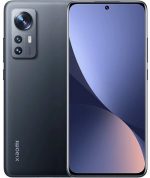
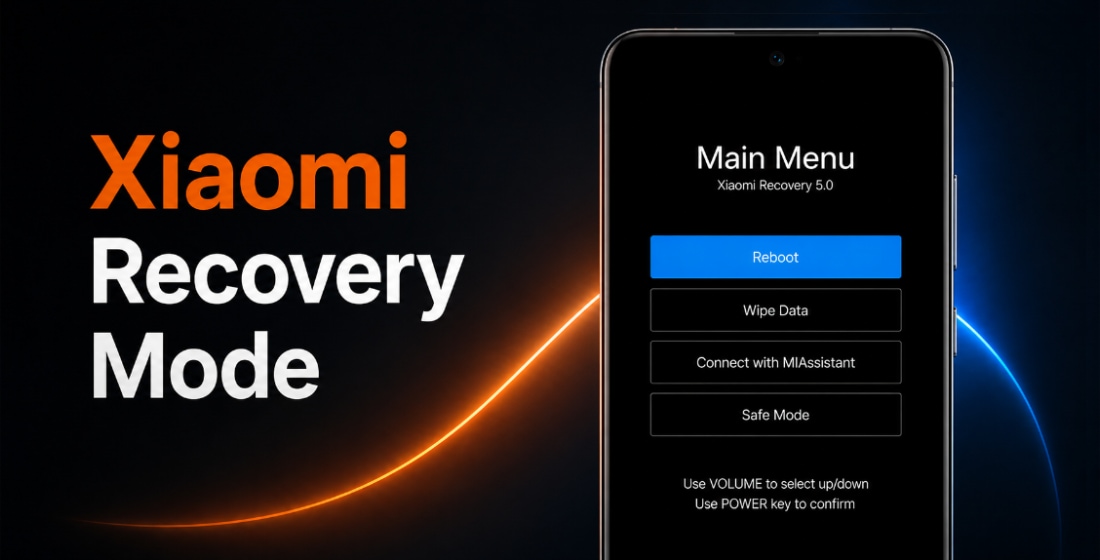
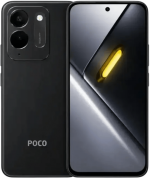
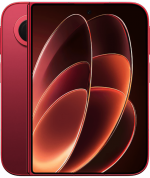
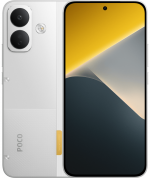
Official Xiaomi 12S Ultra firmware (codename thor) includes stable HyperOS and MIUI versions. They can be downloaded as Fastboot ROM, Recovery ROM, and OTA updates.
Phone models: 2203121C (China). All files are original stock Xiaomi ROMs, freely available from miui.com. We simply provide direct download links to official flash files and system updates.
| Model name | Xiaomi 12S Ultra |
|---|---|
| Release date | July 2022 |
| Support | Active |
| Current OS | HyperOS 3, Android 15 |
- July 2022releaseMIUI 13 Android 12
- December 2022moved toMIUI 14Android 13
- January 2024moved toHyperOS 1Android 14
- February 2025moved toHyperOS 2Android 15
- January 2026moved toHyperOS 3
- China 96 › HyperOS 3.0.2.0.VLACNXM
China HyperOS 3.0.2.0.VLACNXM
The latest Chinese HyperOS version for Xiaomi 12S Ultra by Xiaomi:
Recovery ROM
- Version
- 3.0.2.0.VLACNXM
- OS
- HyperOS 3
- Android
- Android 15
- Release date
- 2026-01-14
- File size
- 6.52 GB
- Official Link
- Download (.zip)
- Changelog
- Expand list
Basic experience
- Smoother and more stable
- Performance enhancements:
- Optimization: Refined compiler instructions enhance performance and responsiveness while lowering power use.
- Optimization: Improved memory allocation and recovery increases available system memory.
- Optimization: Improved integrated frequency scheduling boosts system efficiency and reduces power consumption.
- Optimization: Improved short-video playback efficiency for better battery life.
- Optimized graphics:
- A new window-rendering mechanism reduces graphics-rendering load.
- Smoother system animations:
- Optimization: Fine-tuned animations across 100+ system scenes for smoother, more natural motion.
Xiaomi HyperIsland
- Everything you need to keep an eye on. In one place.
- A new format that combines Notification spotlight and device notifications makes any important updates reach you faster.
- New UI design lets you see all the details at a glance, with smoother switching between islands.
- Now you can pull down to expand small windows and handle multiple tasks more efficiently.
- Drag ride-hailing trips and other live updates straight into chats for quicker sharing.
Revamped visuals
- Cleaner, more refined visuals throughout.
- Redesigned Home screen icons now look sharper and more detailed.
- The Home screen grid has been redesigned with more balanced margins and more comfortable spacing.
- The status bar has a new, cleaner design that`s more refined and easier to read.
- A new design system improves color comfort, unifies rounded corners across the entire system, and makes controls easier to use for a more consistent look and feel.
- A new large-clock Lock screen adds more depth and layers to the layout.
- A new all-in-one editor allows you to adjust both the Home screen and Lock screen wallpapers at the same time.
Comprehensive system app optimization
- Interaction with apps has become more intuitive and direct.
- Gallery:
- New: New Gallery widgets allow you to select your preferred collections for display.
- New: You can pin albums now to have quick access to your favorite photos anytime.
- Weather:
- Optimization: Improved content card blur effects for a smoother, more immersive scrolling experience.
- Calendar:
- New: Week view gives you a clear look at your weekly schedule.
- New: You can check your daily horoscope easily now.
- Optimization: Improved month-view visuals give you clearer highlights for holidays and important events.
- Recorder:
- New: With technical term and dialect recognition, your transcriptions have become even more accurate.
- New: Structured summaries let you review recorded content more efficiently.
- Optimization: Accurate start page categories let you locate recordings faster with icons.
- Other improvements:
- New: Travel assistant now supports Railway 12306 with real-time trip reminders and ticket info for bookings made by others.
- New: Alarms can now be used with your work shift schedule.
- New: Messaging now supports marking items as read in one tap.
- Optimization: Improved Child mode with unified time tracking across devices, eye care features, and better protection tools.
Interconnectivity
- Cross-ecosystem interconnectivity offers deep compatibility with the Apple ecosystem.
- IPhone interconnectivity:
- Two-way notification sync allows WeChat, QQ, SMS, and call alerts to be synchronized between Xiaomi phones and iPhones.
- When connected to the same network, an iPhone can mirror and reply to WeChat and QQ messages from a Xiaomi phone.
- When on the same network, an iPhone can share photos or files directly to WeChat or QQ on a Xiaomi phone.
- View and use your Gallery synced to Xiaomi Cloud on an iPhone, connect to your Xiaomi phone via hotspot in one tap, and easily locate your devices.
- IPad interconnectivity:
- New: Home screen+ enables Xiaomi phones to mirror screen content to your iPad.
- View and use your Gallery synced to Xiaomi Cloud on an iPad, connect to your Xiaomi phone via hotspot in one tap, and easily locate your devices.
- Mac interconnectivity:
- You can connect to your Xiaomi phone via hotspot in one tap and view its location on a Mac.
- Now you can open multiple phone apps simultaneously and adjust their window sizes.
- Cross-device unlocking:
- Use the fingerprint or password on your Xiaomi tablet to unlock your Xiaomi phone.
- Use face recognition on your Xiaomi EV to unlock your Xiaomi phone.
- Unlock your Xiaomi phone quickly using Touch ID, Face ID, or password on an iPhone, iPad, or Mac.
- Interconnectivity availability:
- * Touch to share: Requires iPhone 12 or newer running iOS 17 or later.
- * To use interconnectivity with Apple devices, update them to iOS 14, iPadOS 14, or macOS 12 or later.
- * Apple devices must have the latest version of Xi
Fastboot ROM
- Version
- 3.0.2.0.VLACNXM
- OS
- HyperOS 3
- Android
- Android 15
- Release date
- 2026-01-09
- Flash file size
- 8.00 GB
- Official Link
- Download (.tgz)
- Changelog
- Expand list
Basic experience
- Smoother and more stable
- Performance enhancements:
- Optimization: Refined compiler instructions enhance performance and responsiveness while lowering power use.
- Optimization: Improved memory allocation and recovery increases available system memory.
- Optimization: Improved integrated frequency scheduling boosts system efficiency and reduces power consumption.
- Optimization: Improved short-video playback efficiency for better battery life.
- Optimized graphics:
- A new window-rendering mechanism reduces graphics-rendering load.
- Smoother system animations:
- Optimization: Fine-tuned animations across 100+ system scenes for smoother, more natural motion.
Xiaomi HyperIsland
- Everything you need to keep an eye on. In one place.
- A new format that combines Notification spotlight and device notifications makes any important updates reach you faster.
- New UI design lets you see all the details at a glance, with smoother switching between islands.
- Now you can pull down to expand small windows and handle multiple tasks more efficiently.
- Drag ride-hailing trips and other live updates straight into chats for quicker sharing.
Revamped visuals
- Cleaner, more refined visuals throughout.
- Redesigned Home screen icons now look sharper and more detailed.
- The Home screen grid has been redesigned with more balanced margins and more comfortable spacing.
- The status bar has a new, cleaner design that`s more refined and easier to read.
- A new design system improves color comfort, unifies rounded corners across the entire system, and makes controls easier to use for a more consistent look and feel.
- A new large-clock Lock screen adds more depth and layers to the layout.
- A new all-in-one editor allows you to adjust both the Home screen and Lock screen wallpapers at the same time.
Comprehensive system app optimization
- Interaction with apps has become more intuitive and direct.
- Gallery:
- New: New Gallery widgets allow you to select your preferred collections for display.
- New: You can pin albums now to have quick access to your favorite photos anytime.
- Weather:
- Optimization: Improved content card blur effects for a smoother, more immersive scrolling experience.
- Calendar:
- New: Week view gives you a clear look at your weekly schedule.
- New: You can check your daily horoscope easily now.
- Optimization: Improved month-view visuals give you clearer highlights for holidays and important events.
- Recorder:
- New: With technical term and dialect recognition, your transcriptions have become even more accurate.
- New: Structured summaries let you review recorded content more efficiently.
- Optimization: Accurate start page categories let you locate recordings faster with icons.
- Other improvements:
- New: Travel assistant now supports Railway 12306 with real-time trip reminders and ticket info for bookings made by others.
- New: Alarms can now be used with your work shift schedule.
- New: Messaging now supports marking items as read in one tap.
- Optimization: Improved Child mode with unified time tracking across devices, eye care features, and better protection tools.
Interconnectivity
- Cross-ecosystem interconnectivity offers deep compatibility with the Apple ecosystem.
- IPhone interconnectivity:
- Two-way notification sync allows WeChat, QQ, SMS, and call alerts to be synchronized between Xiaomi phones and iPhones.
- When connected to the same network, an iPhone can mirror and reply to WeChat and QQ messages from a Xiaomi phone.
- When on the same network, an iPhone can share photos or files directly to WeChat or QQ on a Xiaomi phone.
- View and use your Gallery synced to Xiaomi Cloud on an iPhone, connect to your Xiaomi phone via hotspot in one tap, and easily locate your devices.
- IPad interconnectivity:
- New: Home screen+ enables Xiaomi phones to mirror screen content to your iPad.
- View and use your Gallery synced to Xiaomi Cloud on an iPad, connect to your Xiaomi phone via hotspot in one tap, and easily locate your devices.
- Mac interconnectivity:
- You can connect to your Xiaomi phone via hotspot in one tap and view its location on a Mac.
- Now you can open multiple phone apps simultaneously and adjust their window sizes.
- Cross-device unlocking:
- Use the fingerprint or password on your Xiaomi tablet to unlock your Xiaomi phone.
- Use face recognition on your Xiaomi EV to unlock your Xiaomi phone.
- Unlock your Xiaomi phone quickly using Touch ID, Face ID, or password on an iPhone, iPad, or Mac.
- Interconnectivity availability:
- * Touch to share: Requires iPhone 12 or newer running iOS 17 or later.
- * To use interconnectivity with Apple devices, update them to iOS 14, iPadOS 14, or macOS 12 or later.
- * Apple devices must have the latest version of Xi
Download previous Chinese firmware updates for Xiaomi 12S Ultra:
2025-12-27
2025-12-09Fastboot (7.78 GB)
2025-11-26
2025-11-11Fastboot (7.78 GB)
2025-10-28
2025-10-17Fastboot (7.78 GB)
2025-09-25
2025-09-22Fastboot (7.77 GB)
2025-09-11
2025-08-22Fastboot (7.76 GB)
2025-08-15
2025-07-25Fastboot (7.74 GB)
2025-07-10
2025-06-20Fastboot (7.80 GB)
2025-05-23
2025-05-06Fastboot (7.80 GB)
2025-04-18OTA (428.89 MB)
for 2.0.10.0.VLACNXM
2025-03-30Fastboot (7.84 GB)
2025-03-24OTA (917.53 MB)
for 2.0.4.0.VLACNXM
2025-03-06Fastboot (7.80 GB)
2025-02-20OTA (36.21 MB)
for 2.0.1.0.VLACNXM
2025-02-06
2025-01-07Fastboot (7.48 GB)
2024-12-24OTA (195.19 MB)
for 1.0.14.0.ULACNXM
2024-12-09Fastboot (7.48 GB)
2024-11-27OTA (28.49 MB)
for 1.0.10.0.ULACNXM
2024-10-22Fastboot (7.48 GB)
2024-10-15OTA (177.12 MB)
for 1.0.8.0.ULACNXM
2024-09-20Fastboot (7.47 GB)
2024-09-04OTA (118.78 MB)
for 1.0.7.0.ULACNXM
2024-08-16Fastboot (7.47 GB)
2024-07-31OTA (135.18 MB)
for 1.0.6.0.ULACNXM
2024-08-02Fastboot (7.47 GB)
2024-07-18OTA (358.20 MB)
for 1.0.5.0.ULACNXM
2024-04-18Fastboot (7.47 GB)
2024-04-01OTA (326.68 MB)
for 1.0.4.0.ULACNXM
2024-01-29Fastboot (7.55 GB)
2024-01-19
2023-12-18Fastboot (7.50 GB)
2023-11-23OTA (330.96 MB)
for 14.0.14.0.TLACNXM
2023-09-27Fastboot (7.55 GB)
2023-08-18OTA (691.66 MB)
for 14.0.13.0.TLACNXM
2023-07-04Fastboot (7.65 GB)
2023-06-07OTA (714.33 MB)
for 14.0.12.0.TLACNXM
2023-04-09Fastboot (7.81 GB)
2023-03-30OTA (712.09 MB)
for 14.0.10.0.TLACNXM
2023-02-27Fastboot (7.86 GB)
2023-02-13OTA (955.31 MB)
for 14.0.5.0.TLACNXM
2023-01-15Fastboot (7.87 GB)
2023-01-09OTA (55.54 MB)
for 14.0.3.0.TLACNXM
2022-12-28
2022-12-11Fastboot (7.87 GB)
2022-12-07
2022-10-24Fastboot (7.65 GB)
2022-10-10OTA (475.42 MB)
for 13.0.10.0.SLACNXM
2022-09-22Fastboot (7.66 GB)
2022-09-13OTA (78.54 MB)
for 13.0.9.0.SLACNXM
2022-09-07Fastboot (7.63 GB)
2022-08-29OTA (350.24 MB)
for 13.0.8.0.SLACNXM
2022-08-12
2022-08-08Fastboot (7.63 GB)
2022-08-01OTA (867.13 MB)
for 13.0.4.0.SLACNXM
2022-07-20
2022-07-13OTA (54.85 MB)
for 13.0.3.0.SLACNXM
2022-07-08OTA (871.41 MB)
for 13.0.1.0.SLACNXM
2022-07-05Fastboot (7.53 GB)
2022-06-25
The new HyperOS or MIUI update is not necessarily the best. Before updating Xiaomi 12S Ultra (thor), read reviews on 4PDA or XDA Developers. If installing a Flash File, full ROM, or the new OTA update caused issues, please let us know in the comments and mention the version number.
I need to download the global version of Xiaomi 12S Ultra. Can any one help me?
Are you sure, that global version for this phone exists?
There is no global version of this model
Hello,
My intention is to update my XIAOMI 12S Ultra from the old 13.0.8 stable to the new 14.0.14. and
I have managed to download from internet, from different places, 3 large files :
thor_images_V14.0.14.0.TLACNXM_20230818.0000.00_13.0_cn_8daccfdccd. TGZ file 7.03 GB
xiaomi.eu_multi_THOR_V14.0.14.0.TLACNXM_df60a3e5ff_v14-13.zip MD5file 32bytes
xiaomi.eu_multi_THOR_V14.0.14.0.TLACNXM_df60a3e5ff_v14-13.zip Adobe Acrobat Document 5.03 GB
Are these the right files or jokes? Should I reset to factory settings?
What to do? where to copy them, in what folder to make Update ?
Thank you
Paul
And where did you download it from?
Miui13 rom 13.0.9.0 is soo terrible. It can’t even support google assistant hands free option and unsecure app prompt on app keep prompting for 10 seconds approval.
There’s not surprising, because MIUI 13 is a vwery raw OS.